
Transparent photo effects are all over feeds because they read fast on a phone. Clear edges, floaty shadows, and sticker-like cutouts make a portrait feel fresh without hiding the face. The best versions stay simple: one subject, one strong shape, one detail that locks the look in place.
The cleanest version comes from tools with native transparency, like the Qwen Image 2.1 model card, the official Qwen blog, and the ComfyUI workflow guide. For a rougher flash-heavy version, the Y2K photo effect and the flash filter digicam look are good side-by-side references.
Why transparent photo effects work
The appeal is the contrast. A portrait with a clean cutout feels polished, but it still looks casual enough for Stories, Reels, and profile posts. The background disappears, the subject pops, and the whole frame becomes easy to style with a colored gradient, a soft shadow, or a bold caption later. That is why the look keeps spreading.
It also solves a common problem. Busy backdrops can fight a face. A transparent photo effect removes the noise and lets hair, makeup, jewelry, or clothing do the work. That makes it useful for beauty posts, outfit posts, promo slides, and cover images that need a fast visual hook.
- Keep the face clear.
- Use one main texture, not five.
- Let the edge be visible.
- Keep the shadow soft and short.
Sticker cutout portrait
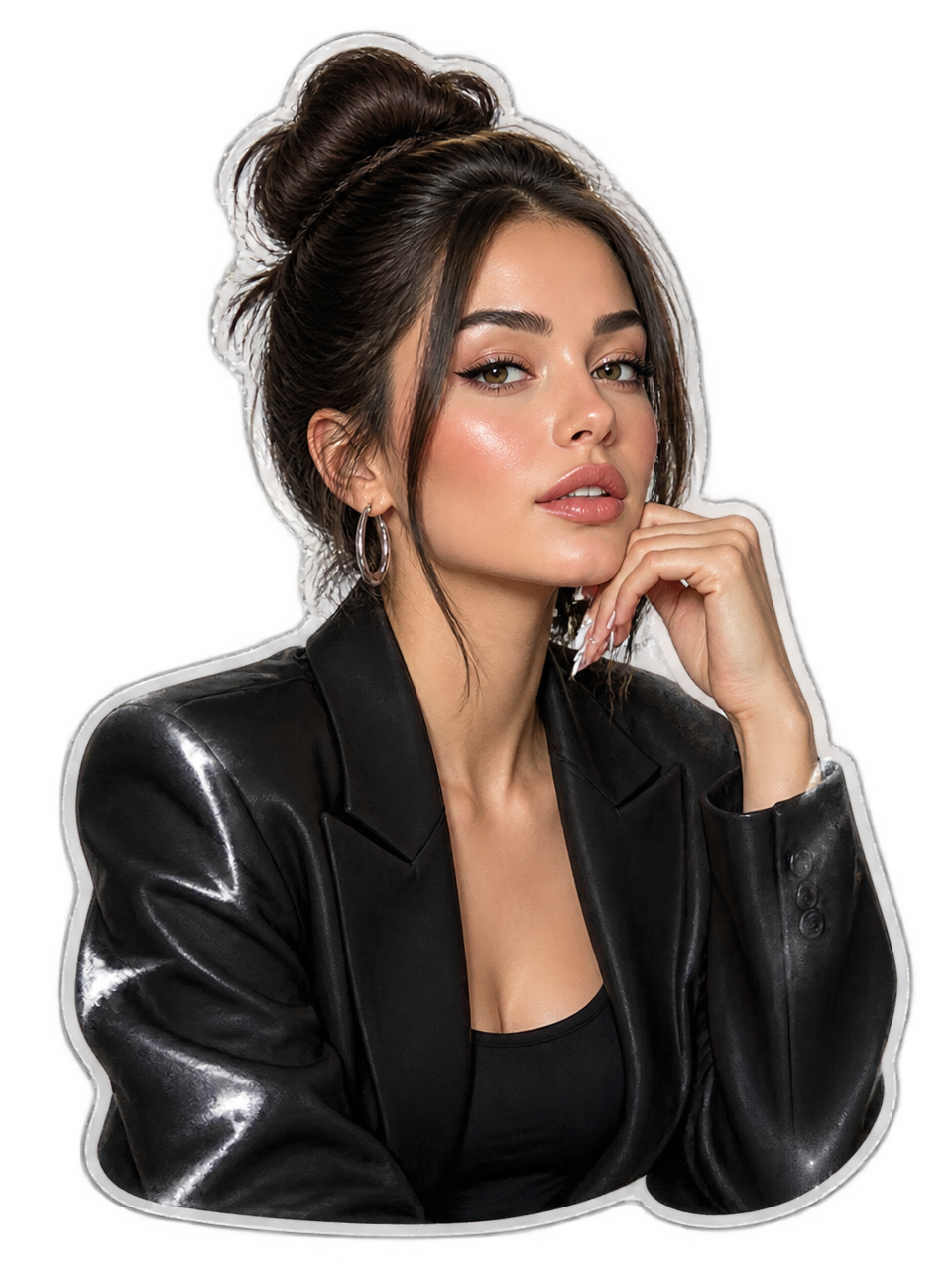
This is the most clickable version of the trend. It looks like a premium sticker pulled off a fresh sheet. The edge is clean, the shine is bright, and the subject feels ready to drop into a carousel, a poster, or a phone wallpaper. It works best when the clothing is simple and the expression stays direct.
Start with a prompt that asks for a cutout portrait, a clean border, and a soft vinyl finish. Keep the background fully transparent. If the result gets too busy, remove extra props and lower the number of style cues. A plain pose beats a crowded one here. The whole point is speed: one glance, one shape, one strong read.
Acrylic frame portrait card
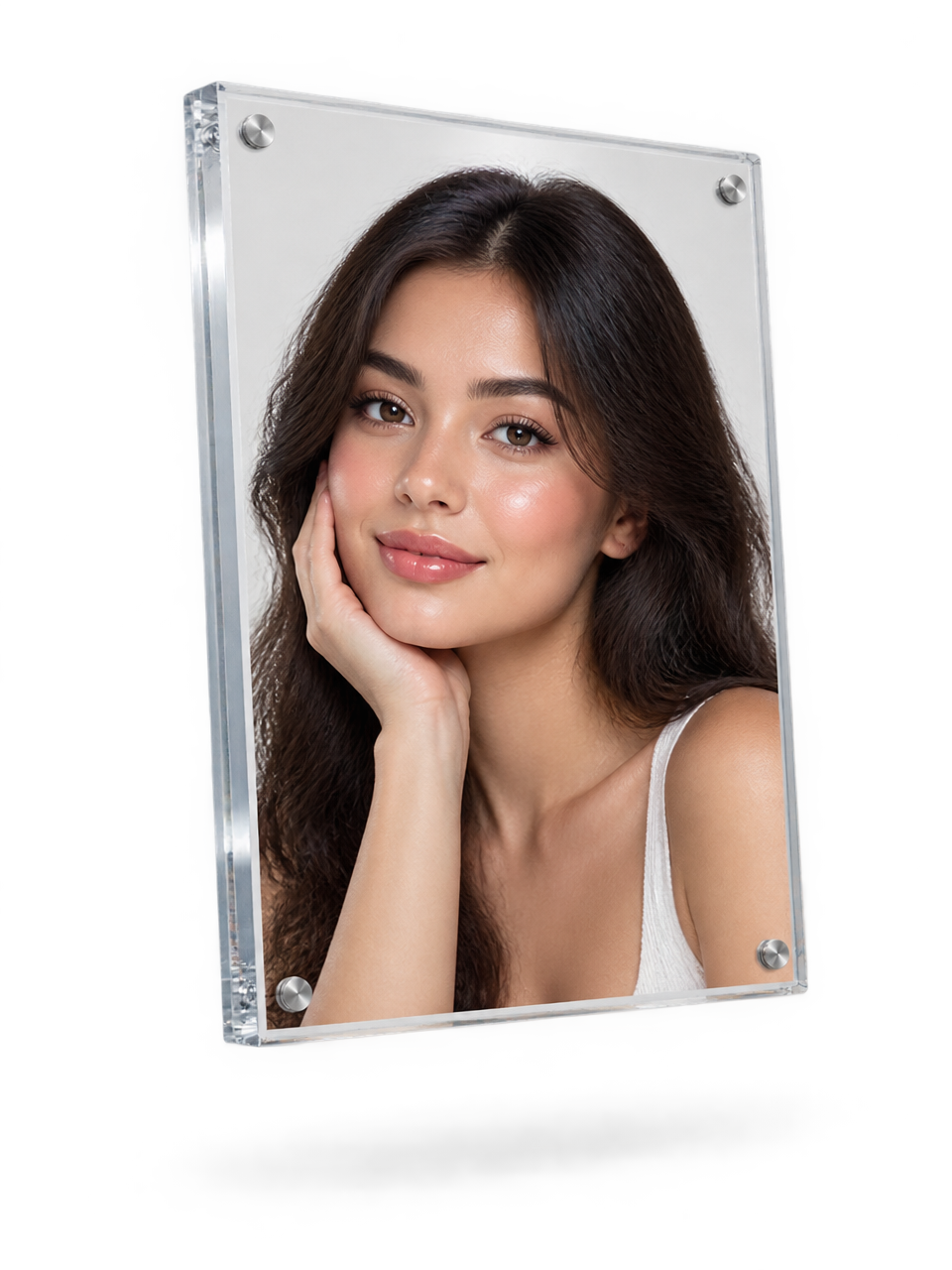
This version feels closer to a design object than a selfie. The portrait sits inside a translucent frame, so it reads like a luxury card, a product mockup, or a tiny display piece. It is a good fit for beauty looks, jewelry shots, and any post that wants a little more polish without turning into a full poster.
Use a prompt that asks for a floating acrylic frame, a soft shadow, and crisp edges. Keep the frame subtle. If the border gets too thick, the image starts to look like packaging instead of a social post. A little transparency goes a long way. That thin frame is what makes the effect feel current.
Scrapbook collage portrait

This is the looser version of the trend. It keeps the transparent base but adds torn paper, layered scraps, and small cutout pieces. The result feels more playful and a little less polished. It is a strong choice for creator recaps, mood posts, or any slide that needs more texture.
To keep it readable, use only a few collage pieces. Too many layers turn the image into clutter. One torn edge, one or two sticker shapes, and one clear subject are usually enough. That balance gives the post energy without burying the face.
How to keep transparent photo effects clean
The easiest way to miss this trend is to overpack the prompt. If the effect needs to feel current, the face should stay visible, the edge should stay simple, and the background should stay out of the way. One strong material is enough. Vinyl, acrylic, or torn paper. Not all three in the same image.
For a fast next step, turn one of these looks into a Reel cover or a carousel opener. Use a strong crop and keep the subject near the center. If the goal is a flashier version, the Y2K photo effect adds more color and chaos, while the flash filter digicam look pushes the mood toward late-night camera roll energy.
Transparent photo effects work because they are easy to read, easy to remix, and easy to post fast. That is the whole trick.
Create this effect in Bloom AI
Recreate these effects on your own photos and videos — free to start.