
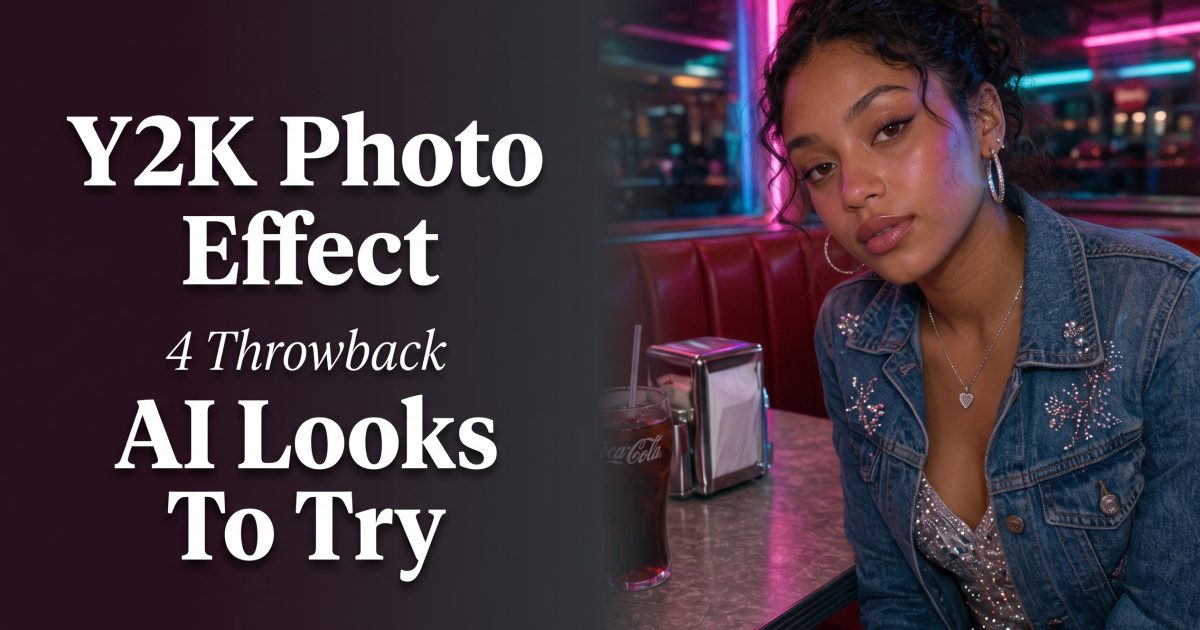
Y2K photo effect edits bring back the best kind of early-2000s chaos: direct digicam flash, glossy pink plastic, icy blue details, rhinestones, denim, and a little blur around the edges. This AI photo effect works because it feels personal rather than polished. A plain selfie can suddenly look like it came from a friend’s camera roll after a Saturday at the mall.
The best Y2K photo effect doesn’t pile every reference into one frame. Start with one setting, choose two or three era cues, and let the face stay clear. That keeps the result playful instead of costume-like. These four directions give the trend different moods, from loud mall energy to a softer bedroom mirror shot.
Why this Y2K AI photo effect is landing now
Y2K reads in a split second. Chrome catches light, pink and blue pop on a phone screen, and hard flash makes a pose feel spontaneous. That makes it a strong choice for a before-and-after Reel, a birthday carousel, a getting-ready Story, or a profile-picture refresh. It also gives creators room to keep their own clothes, hair, and expression while changing the mood around them.
Begin with a sharp, front-facing photo in even light. Avoid sunglasses that hide the eyes and busy prints that fight the new styling. Crop vertically for Stories and Reels. Leave a little room above the head if you want room for a date stamp, tiny heart doodles, or a short caption later.
1. Mall gloss: pink flip phone and denim
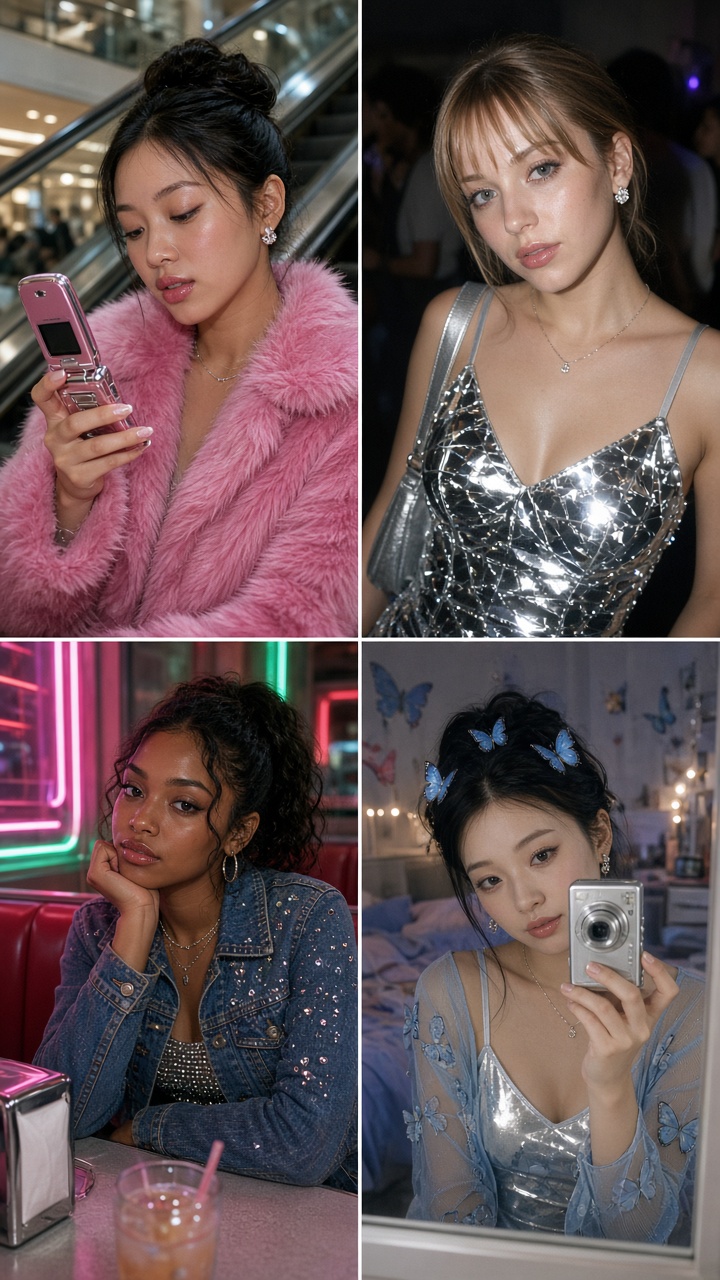
This is the bright, friendly version of the Y2K AI photo effect. Picture an escalator, shiny railings, a small shoulder bag, and a pink flip phone held close to the face. The scene should feel like a quick candid between shops, not a fashion campaign.
How to style it
- Use light-wash denim, a fitted tee, or a cropped zip hoodie.
- Ask for a pink flip phone, silver hoops, and a small handbag. Stop there.
- Keep the background clean: escalator rails, tiled floors, or a softly blurred storefront work well.
- Use direct flash with a slight warm cast so skin stays alive.
Example prompt: “Restyle this portrait as an early 2000s mall candid, light-wash denim jacket, pink flip phone, silver hoop earrings, glossy escalator rails, direct digicam flash, soft grain, candid expression, vertical photo.”
For a Reel, start on the original photo for half a second. Cut to the mall version on a white-flash transition, then add a tiny 2004-style timestamp. It also works for a back-to-school post or a friends-night carousel when every slide uses a slightly different prop.
2. Metallic flash: silver party camera energy
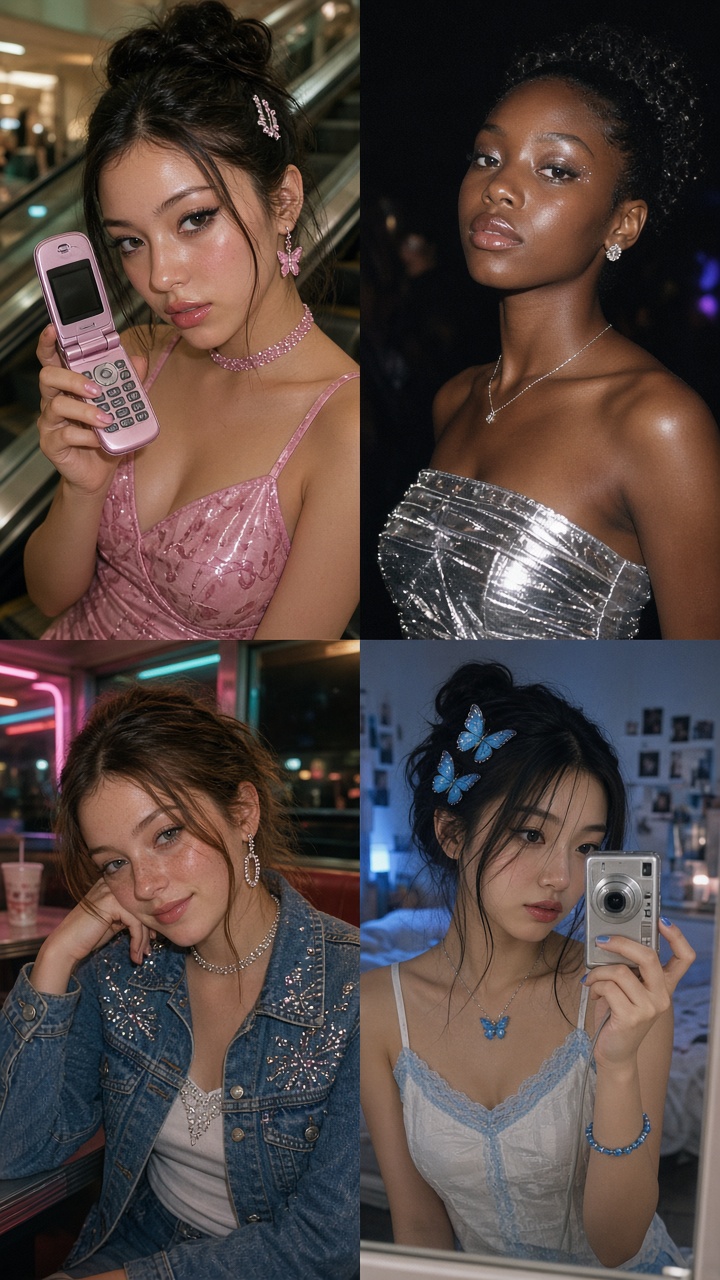
Metallic flash is for the louder side of the Y2K AI photo effect. Silver fabric, a dark club corner, and a blown-out flash create a messy-fun image that still keeps the subject readable. It suits party invites, concert memories, and night-out photo dumps.
How to style it
- Choose one reflective piece: a silver top, metallic bag, or glossy eyeshadow.
- Use a darker background with two colored points of light, not a full rainbow wall.
- Keep the pose loose. A shoulder turn, half-smile, or hand near the camera looks more believable than a formal stance.
- Ask for light motion blur only at the edges. Blur across the eyes makes the edit feel broken.
Example prompt: “Turn this into a 2000s digicam party photo, silver metallic top, dark lounge background, small blue and magenta lights, direct on-camera flash, subtle edge motion blur, glossy skin, candid pose, vertical 3:4 crop.”
Production tip: keep the flash white. Colored flash can make skin look gray or green. If the result feels too clean, add fine grain and lower the background detail rather than covering the frame with stickers.
3. Neon diner: rhinestones after dark
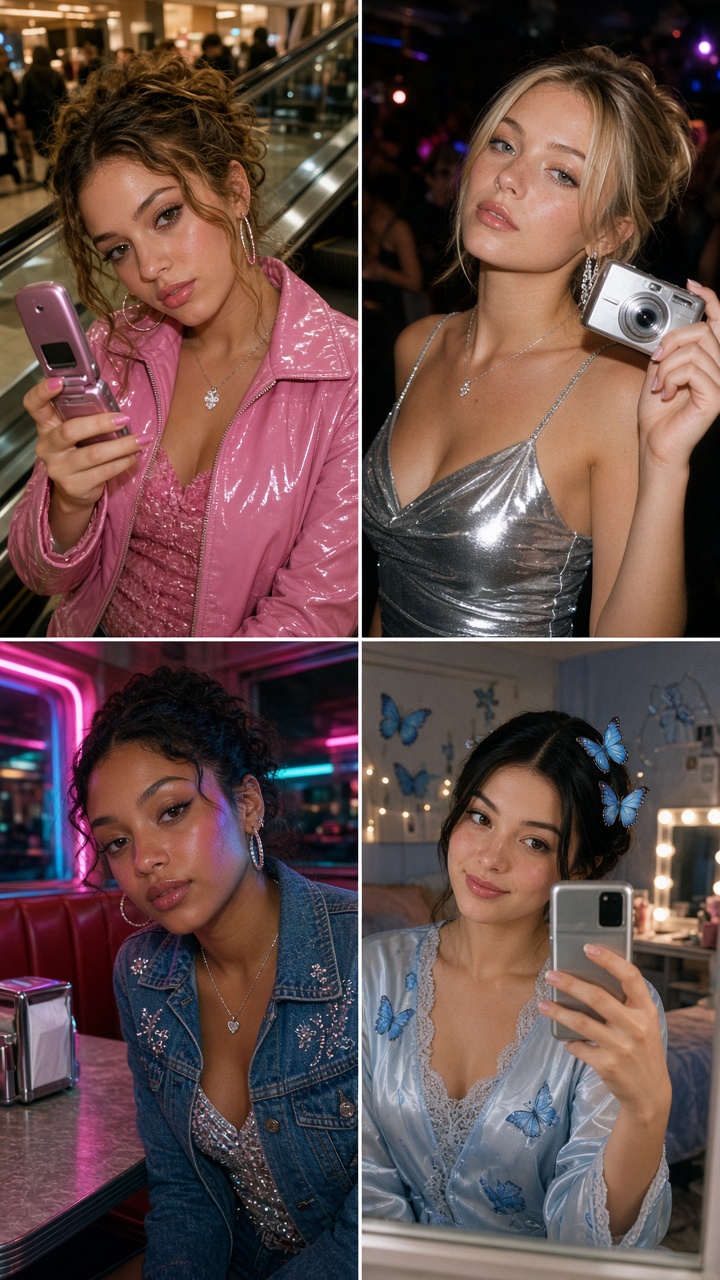
A neon diner gives the Y2K AI photo effect a fuller story. The booth, soda glass, and chrome trim do much of the work, while rhinestones catch the light without taking over the face. This direction fits food photos, birthday edits, and a duo shot with a best friend.
How to style it
- Pick a red, pink, or turquoise booth and let the rest of the palette stay simple.
- Add rhinestones to a bag, belt, or hair clip instead of every surface.
- Use a low camera angle or a close crop across the table for a more candid frame.
- Keep food props small and recognizable: a milkshake, fries, or a cherry soda is enough.
Example prompt: “Create a Y2K photo effect from this selfie in a neon diner booth, turquoise vinyl seat, denim jacket, rhinestone hair clip, cherry soda on the table, chrome trim, direct camera flash, warm grain, candid night-out photo.”
Try this look as a two-image carousel: the first slide shows the original selfie, and the second shows the diner scene. A short caption such as “meet me at the booth” does more than a paragraph of explanation.
4. Mirror-selfie throwback: blue butterflies and soft light
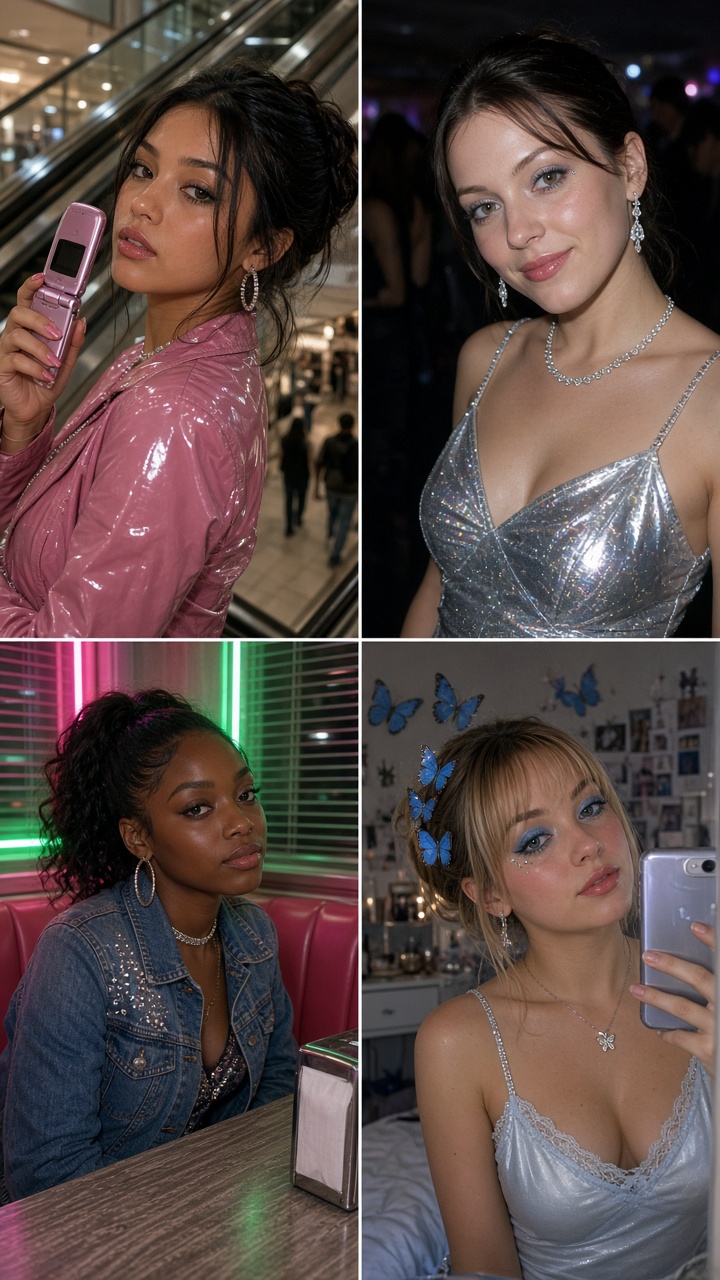
Not every Y2K AI photo effect needs flash and chrome. A mirror selfie with soft bedroom light, a low-rise denim cue, and a few blue butterflies lands in a more personal place. It is a good fit for a casual profile photo, beauty content, or a low-key Sunday Story.
How to style it
- Use a simple mirror photo with the phone visible. That detail sells the era.
- Keep butterflies small and place them in the corner, on a clip, or near the mirror frame.
- Ask for pale blue, white, and silver rather than a heavy pink filter.
- Leave some natural shadow in the room. Flat lighting removes the cozy camera-roll feeling.
Example prompt: “Restyle this mirror selfie with a soft Y2K bedroom mood, pale blue butterfly hair clips, silver jewelry, denim details, early 2000s compact camera texture, gentle window light, natural mirror reflection, subtle grain.”
How to make this AI photo effect feel like yours
Choose one visual anchor before editing: a flip phone, a flash-lit party, a diner booth, or a mirror. Then build around it. The strongest results preserve the original face and pose while swapping only the setting, outfit accents, and camera texture. Test one version with flash and one without. The quieter result often wins for a profile photo.
For more control, write prompts in layers: subject first, then location, props, lighting, camera feel, and crop. A tool such as Grok Imagine Image V2 can help test a visual direction with image editing controls; create the final version in Bloom AI. Keep text overlays outside the image generation step so names and dates stay crisp.
Before posting, zoom in on hands, jewelry, phone edges, and reflections. Those small details give away a rushed edit. If one area looks strange, simplify the prompt and remove a prop. A clean AI photo effect with two clear references will always look better than an image trying to show every trend at once.
Create this effect in Bloom AI
Recreate these effects on your own photos and videos – free to start.






1 Comment