Reels effects do not need a complicated setup to feel satisfying. The leg swipe transition uses one big, clean movement to hide a cut, then lands on a new outfit, place, or mood. It works because the viewer knows exactly where to look: at the leg crossing the lens, then at the reveal.
Film two clips with the phone locked in place. Start each take in the same spot, swipe the same leg in the same direction, and let your shoe or pant leg cover most of the frame. Cut when the leg is closest to the camera. That small bit of planning makes the switch look sharp instead of accidental.
Why these Reels effects stop the scroll
A leg swipe gives a short video a built-in beat. The first clip sets up a look. The moving leg wipes the screen. The second clip answers with a surprise. Keep the camera angle, horizon, and body position close between takes. If the background changes, that is fine. If the framing jumps, the transition loses its magic.
Use a tripod, a shelf, or a stable surface. Shoot at the same focal length and do not tap to zoom between clips. Natural window light is easiest, but a single lamp works too if it stays put. Leave half a second before and after the swipe so there is room to trim. For a quick primer on how Reels are built for short-form video, see Instagram’s Reels announcement.
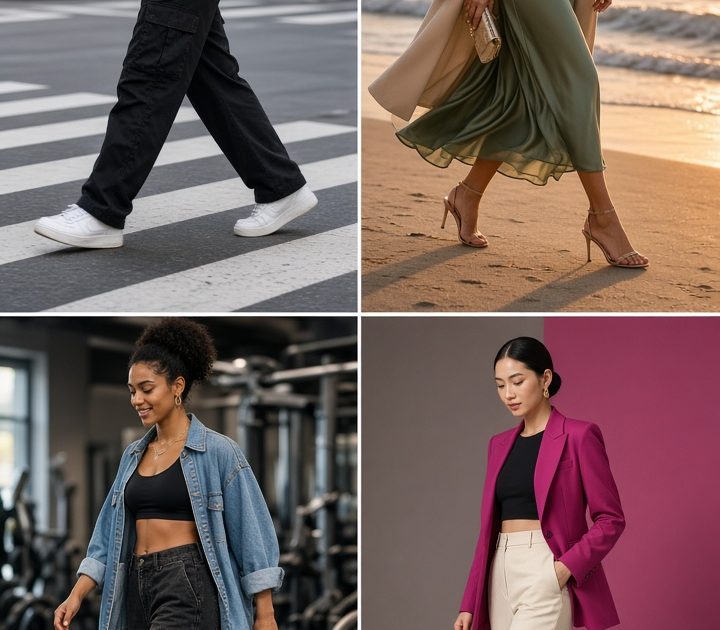
1. Streetwear switch on a crosswalk
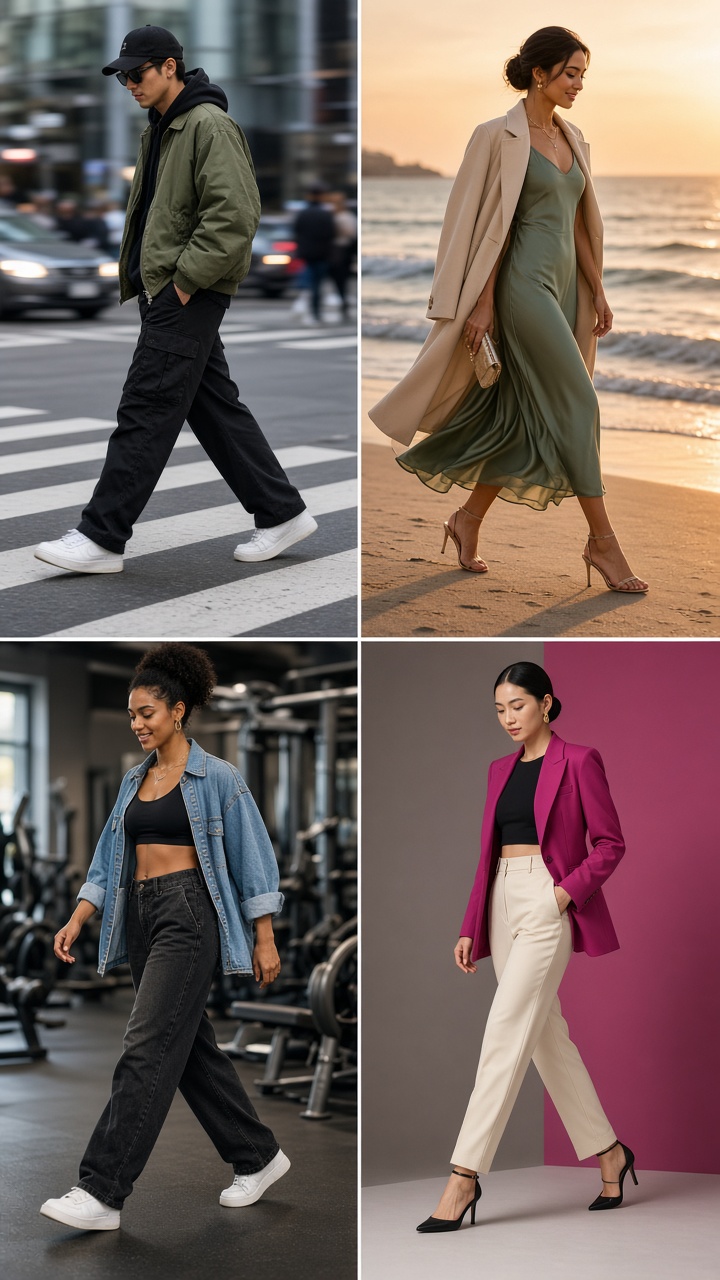
This version turns a plain walking clip into an outfit reveal. Start in a neutral tee and sneakers. On the second take, keep the same stance but switch to a jacket, bolder shoes, or a full monochrome look. A crosswalk gives you useful lines to match under your feet, so it is easier to line up both takes.
How to shoot it
- Place the phone low enough to catch the full swipe and a little pavement.
- Walk toward the camera, then swing your front leg across the lens on beat.
- Change clothes without moving the phone. Return your feet to the same painted line.
- Trim both clips at the point where the leg covers the lens.
Prompt idea: street-style outfit reveal, person crossing a city crosswalk, first look simple gray basics, second look cobalt jacket and silver sneakers, low phone angle, crisp daylight. Use this for a back-to-school post, a thrift haul, or a day-to-night outfit reel. Pick one strong color for the reveal. Too many prints can make the cut harder to read.
2. Beach look to dinner look
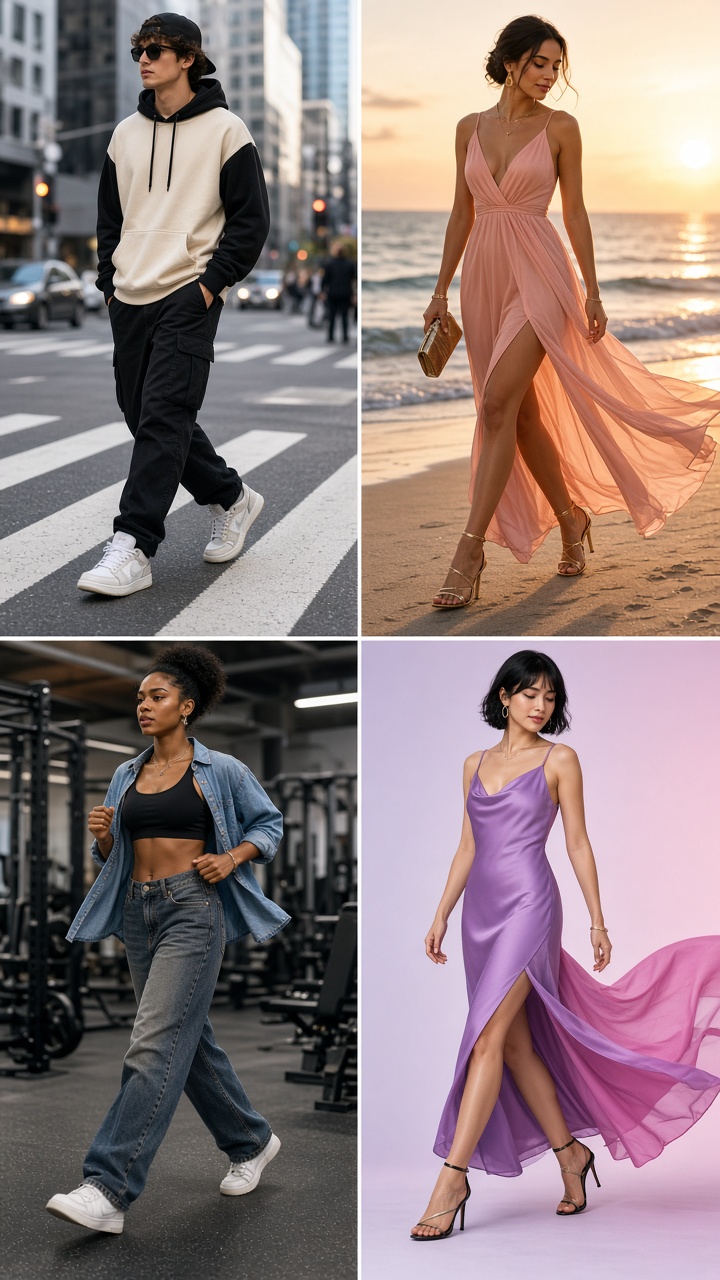
Beach-to-dinner works because the two scenes have opposite energy. Begin barefoot near the water in a cover-up or swim look. After the swipe, land in a dressy outfit outside a restaurant or against a warm sunset wall. Aim the swipe from the same side in both clips. The location change will feel intentional when the body movement matches.
How to shoot it
- Mark your standing spot with a bag or towel, then copy the distance from the phone at dinner.
- Use a flat, uncluttered background for the second clip.
- Keep your face turned the same way before the swipe.
- Pair the cut with a beat drop, a door close, or a flash sound.
Prompt idea: summer beach outfit changing into an elegant dinner outfit through a leg swipe transition, golden-hour light, relaxed pose, editorial travel reel. These Reels effects suit vacation recaps, bridesmaid weekends, and a simple get-ready-with-me post. Skip tiny jewelry changes that viewers cannot see. Make the dress, shoes, or lighting do the talking.
3. Gym set to casual denim
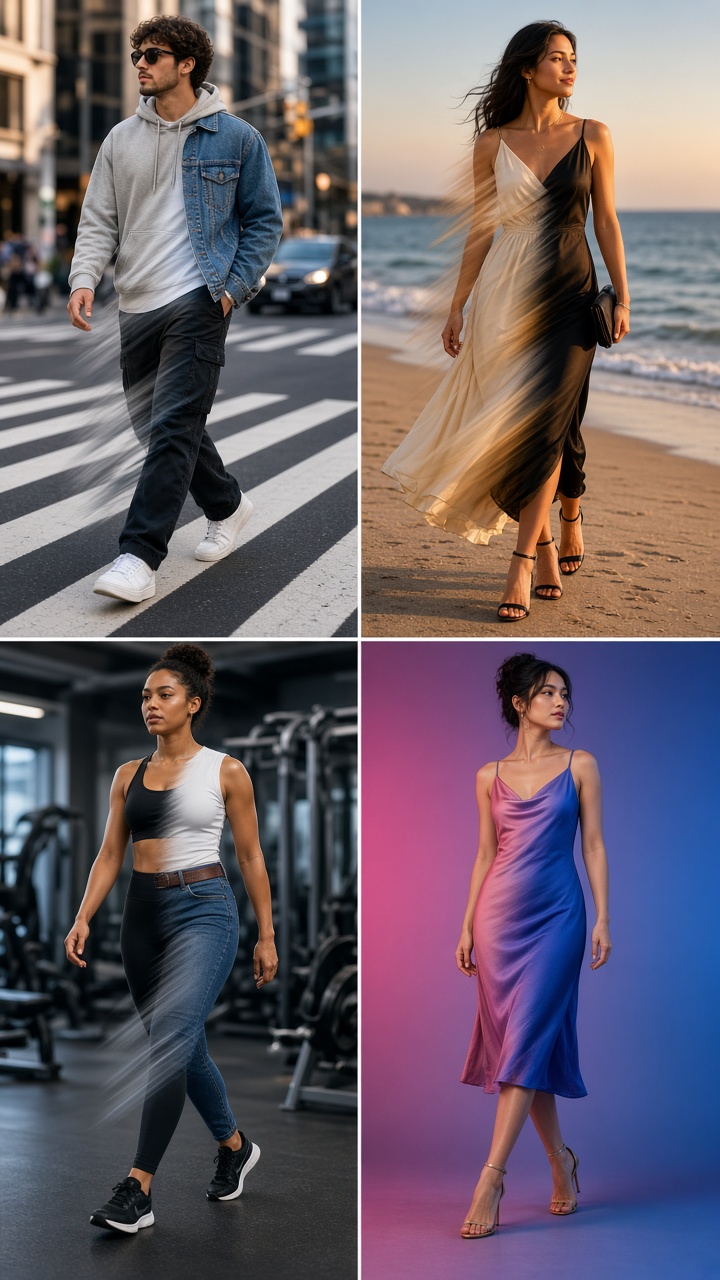
This is the practical version. Start with a workout set, then swipe into relaxed denim and a tee. The contrast feels real because it answers a familiar question: what happens after the workout? Keep a grounded stance and use a slower swipe than you would for a fashion clip. It gives the edit enough coverage without looking rushed.
How to shoot it
- Frame from mid-thigh to just above the head so the clothes read clearly.
- Start with hands in the same position in both takes.
- Use a clean wall, locker room mirror, or doorway rather than busy gym equipment.
- Cut out the moment your shoe passes the center of the lens.
Prompt idea: fitness outfit transforms into casual denim outfit with a leg swipe, bright studio wall, confident relaxed posture, clean social video frame. Use it for routine resets, Sunday meal-prep content, or a light joke about leaving the gym for coffee. A neutral background keeps these Reels effects from looking like an ad.
4. Studio color flip
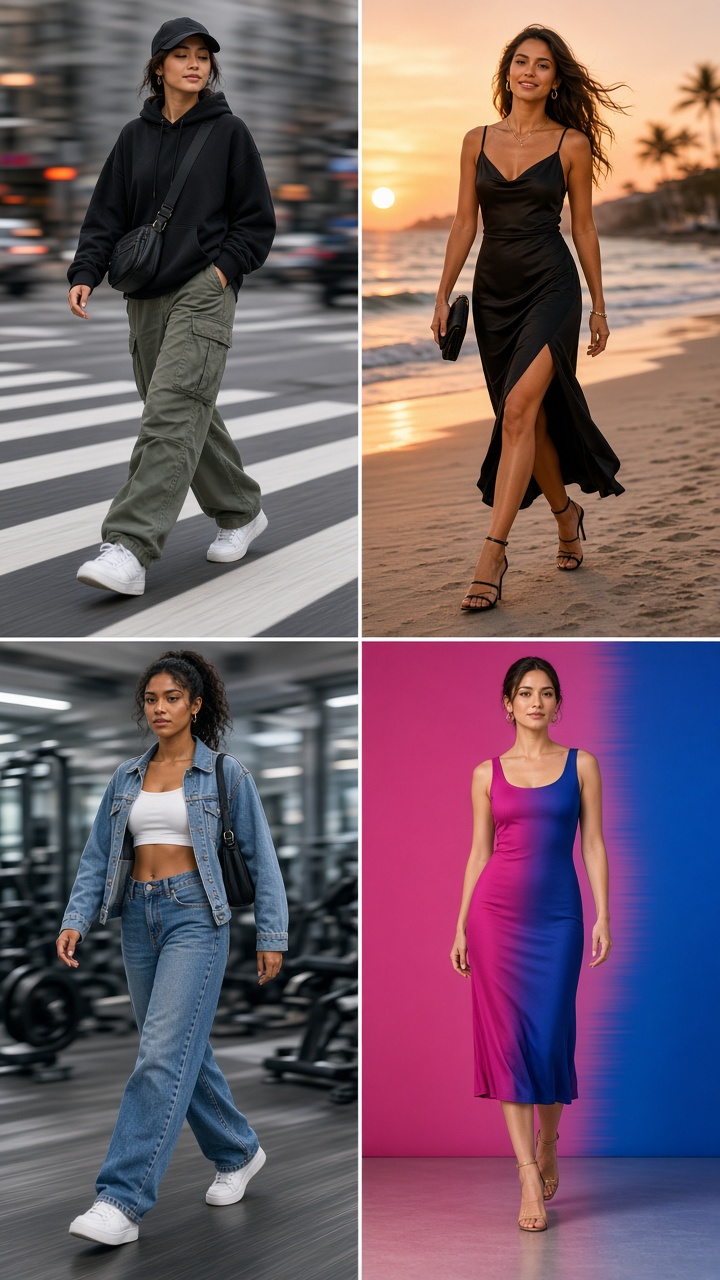
A studio color flip needs less travel and more styling. Film against one blank wall. Start in an all-black outfit, then repeat the swipe in cherry red, butter yellow, or another clear color. Change the lamp color, backdrop, or even the room light for extra impact. The same pose becomes the anchor while the color makes the reveal pop.
How to shoot it
- Use the same exposure for both clips so the second scene does not blow out.
- Choose colors that separate clearly on a phone screen.
- Keep the swipe close to the lens for a full-frame wipe.
- Add a short text hook before the reveal, such as pick a color.
Prompt idea: fashion color transformation with a leg swipe transition, clean studio backdrop, black outfit changing to cherry red, direct flash, vertical social video. This works for color challenges, product-free fashion edits, and birthday outfit reveals. Post the clean original frame first, then let the transition arrive before the viewer has time to scroll.
Small fixes that make the swipe cleaner
If the cut feels jumpy, check the feet first. The planted foot should land in nearly the same place in both takes. If the swipe shows the room behind you, move closer to the phone or wear wider pants. If the reveal feels late, trim a few frames earlier. Most polished Reels effects come down to timing, not extra filters.
Try three takes before changing the concept. One can be slow and smooth. One can be fast. One can finish with a small turn or hair flip after the reveal. Pick the take that keeps the leg covering the lens longest. Then use the same clip shape for every version in the series.
Create this effect in Bloom AI
Recreate these effects on your own photos and videos – free to start.