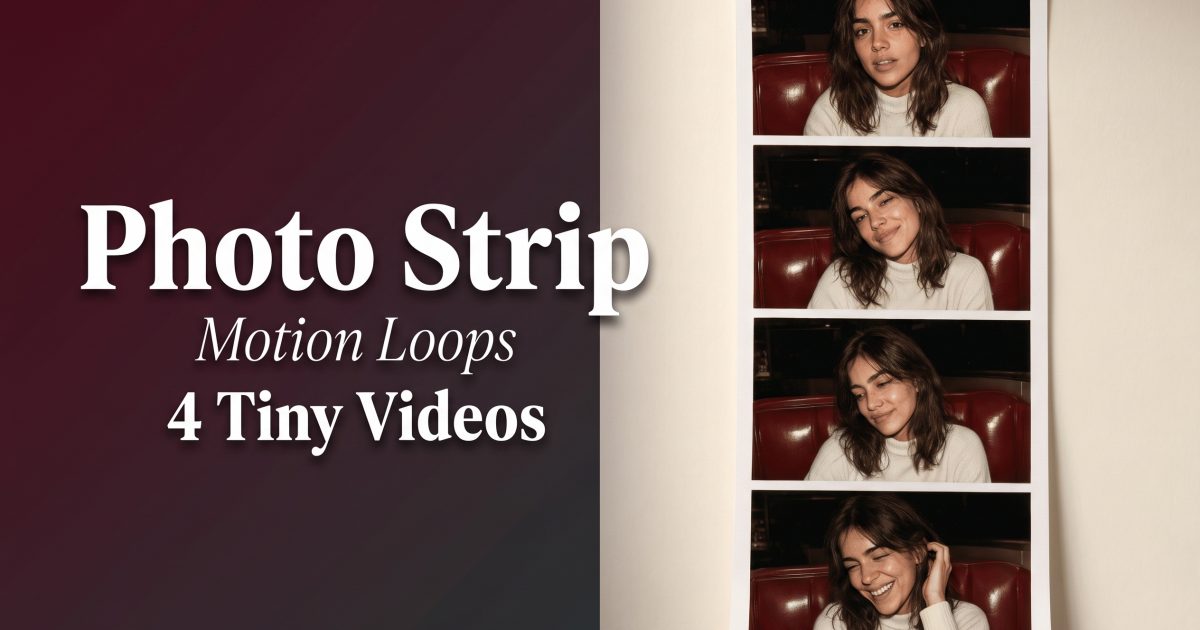
Photo strip motion loops turn the familiar four-frame booth layout into a tiny video that keeps moving. Instead of choosing one perfect still, each panel gets a small repeatable action: a blink, a shoulder dip, a sip, a laugh. It is a different use for the photo-strip format than a fashion pose or a static booth print. The result feels like a living keepsake, built for Stories, Reels, and the first second of a feed.
The trick is restraint. A loop becomes satisfying when the camera holds still and the movement is small enough that the ending can meet the beginning without a jump. Think of each panel as a micro-scene, not a separate performance. The strip keeps the composition organized; the tiny motion gives it a pulse.
Why photo strip motion loops work
A four-frame layout already gives viewers a clear visual rhythm. Animation adds a second rhythm without making the edit busy. Your audience notices the strip first, then catches the movement on the second look. That is exactly what makes these clips useful for a short social post: they feel immediate, yet reward a replay.
Short controlled movement also keeps the nostalgic part intact. Direct flash, a slightly uneven white border, and gentle grain make the clip feel like it started as something tangible. Recent image-generation work has focused on more precise color and reference control, which is helpful when you want a consistent palette across several small panels; Alibaba describes that direction in its Wan2.7 image announcement. For this trend, though, the visual idea matters more than technical perfection: keep the motion human-sized.
4 photo strip motion loops to make
1. The arcade lean-in loop
Set the strip in a dark arcade with a pop of neon behind the faces. Let two friends make one tiny sequence: eyes to camera, lean together, grin, reset. The flash freezes the style, while the neon gives the loop enough color to hold attention. Keep the movement synchronized only loosely. A slightly late laugh or a blink makes it feel more like a real booth visit than a choreographed dance.
2. The diner straw tap
For a warmer version, use a red booth, chrome details, and one drink in frame. The movement can be as simple as tapping a straw, glancing sideways, then returning to a half-smile. It is more charming when every frame has a different beat instead of making all four panels move at once. Keep the background still and let the hand or expression do the work.
3. The almost-laugh loop
This one works with a plain backdrop, which makes it ideal when the faces are the point. Start with a composed expression, let a smile nearly break through, then return to the beginning. The best version is not a huge grin. It is the moment right before one. Across four panels, those almost-movements read as an inside joke and give the clip a relaxed, candid feeling.
4. The shoulder-turn loop
Use one person and keep the outfit simple but textured: a leather jacket, satin top, or chunky knit catches flash beautifully. In each panel, shift one detail: chin down, head tilt, shoulder turn, eye contact. Those changes should be slow and compact. If the hair swings too far or the body crosses the frame, the loop feels like a cut. If the motion stays inside the pose, it plays again cleanly.
How to make the loop feel intentional
Pick one action before you choose props. The action is the loop; the setting is only support. A good starting rule is one hand movement or one facial change per panel. Then make the camera completely still. A locked frame helps the viewer see the strip as one object rather than four separate videos.
Use direct flash sparingly. You want sharp highlights on jewelry, glass, or glossy fabric, but not a flat washed-out face. Add a touch of grain after the composition is clear. Too much texture can hide the micro-movement that makes photo strip motion loops worth watching.
Finally, watch it twice with the sound off. If you cannot tell exactly where the five seconds restart, you have the right scale of motion. Export it vertically, keep the caption short, and let the strip do the storytelling. This is a tiny video effect with a built-in reason to replay.
Create this effect in Bloom AI
Recreate these effects on your own photos and videos — free to start.