Bob cut effect videos are having a moment because the reveal is built in: one second you have your current look, then the first snip lands and a clean chin-length bob takes over. It is a bold transformation without the salon commitment. For Reels and Stories, that before-and-after switch gives the viewer a reason to watch twice.
The best version does not try to change everything. Keep your face, lighting, and mood recognisable. Let the cut do the work. A sharp bob can look glossy, undone, retro, or soft depending on the shape, styling, and first frame.
Bob cut effect: 3 real reveals
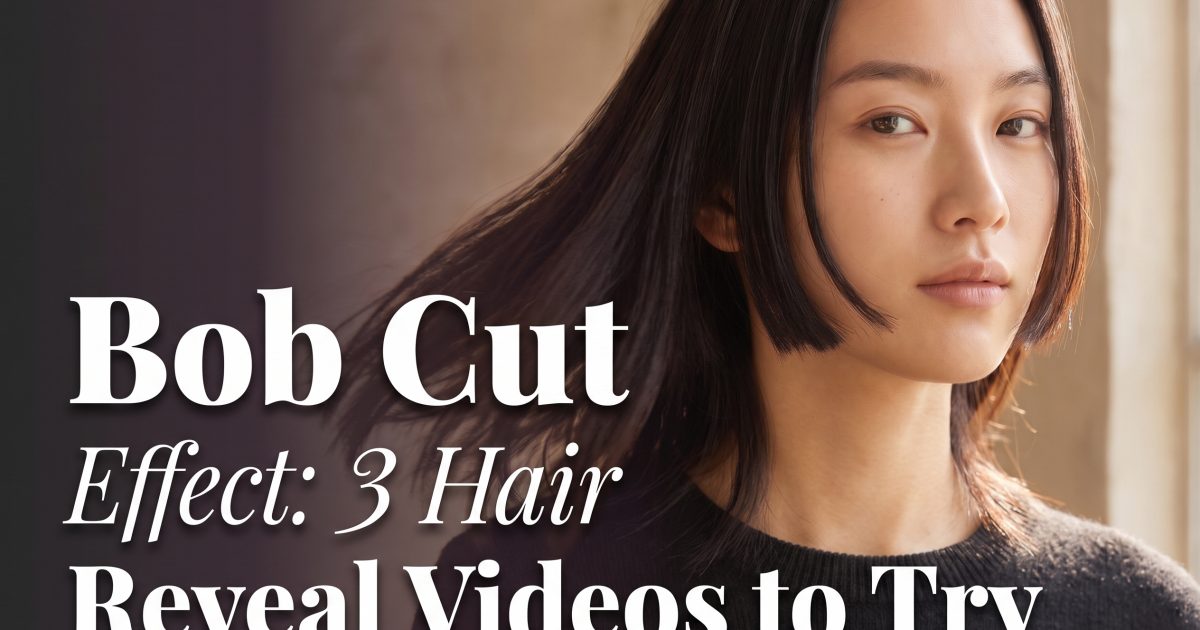
Close portrait reveal
Close portrait reveal: keep the face clear and let the cut be the whole story. This version is the safest choice when the hair change should feel believable. A blunt, chin-length cut reads quickly on a phone screen, especially when the shot begins with longer hair tucked behind the shoulders.
How to make it: Choose a front-facing photo or three-second clip in soft daylight. Keep the full hairline, jawline, and both shoulders inside the frame. Start with a neutral expression, then add a small head turn after the reveal. That motion lets the new ends catch the light.
Prompt idea: Keep the same person and natural hair color. Transform long hair into a glossy blunt chin-length bob with a center part, soft daylight, realistic movement, close portrait video.
This bob cut effect suits a beauty post, a new-season style check, or a quick what if clip before a hair appointment. Wear a simple neckline so the cut has a clean outline. A crew neck, strapless top, or fitted jacket works better than a bulky hoodie.
Outfit-first bob
Outfit-first version: a strong neckline makes the shorter shape pop. Here, the bob is part of a whole style shift. Think leather jacket, square neckline, bold earrings, or a crisp collar. The hair reveal lands harder when the outfit makes the new silhouette feel deliberate.
How to make it: Start on a half-body shot with your hair falling forward. On the beat, flick one side back or turn toward the camera. The change should happen fast, then hold the finished pose for one second. If editing manually, cut when the hair passes across the lens area.
Prompt idea: Transform the subject into a sleek jaw-length bob with a side part. Keep the original face and outfit. Add a black blazer, silver hoop earrings, direct flash, and confident fashion-editorial pose.
Try this format for a going-out video or a mirror selfie sequence. It also works for creators showing a wardrobe change, because the shorter cut gives the after frame a completely different balance. Keep the background plain. A busy bedroom or crowded bar can pull attention away from the outline of the hair.
Natural-color soft bob
Natural-color bob: the most believable transformation keeps the original color. Rather than adding highlights, dramatic bangs, and a new outfit at once, use the texture you already have. A softly curved bob with a little movement gives the reveal a lower-key, just-left-the-salon feel.
How to make it: Use a photo with even light and hair that is not covering the eyes. Ask for the length first, then specify texture. Straight hair can take a glassy blunt bob. Wavy hair looks great with a collarbone-skimming French bob and light bends at the ends. Curly hair needs room around the shape, so keep the volume rather than flattening it.
Prompt idea: Keep the subject identity, face, and exact natural hair color. Create a soft textured bob just below the jaw with natural volume and moving ends, warm window light, realistic portrait video.
This is the best bob cut effect for people who want to test a haircut before committing. It also gives a birthday post, date-night Reel, or everyday selfie a fresh angle without making it look costume-like.
How to get the bob cut effect right
Use a well-lit portrait with the full hairline in frame. Avoid hats, hands across the head, heavy shadows, or a loose strand covering one eye. Those details can make the change feel jumpy. A clean background helps too. A wall, mirror, or window is enough.
Keep the first shot short. Half a second of your original hair is plenty. Then make the reveal the fastest part of the video and hold the final look for a beat. Add a light zoom or turn after the transformation if the clip needs movement. Do not cover the finished bob with text.
For a stronger before-and-after, save two frames: one long-hair portrait and one finished bob. Put them in a carousel beside the video. Use a short caption such as Should this be the real cut? The question invites replies without overexplaining the effect.
One small warning: do not change length, color, makeup, and camera angle at the same time. The bob cut effect works because the viewer can spot the single change. Keep everything else stable, then choose the style that feels closest to the haircut you might actually book.
Create this effect in Bloom AI
Recreate these hair transformations on your own photos and videos – free to start.