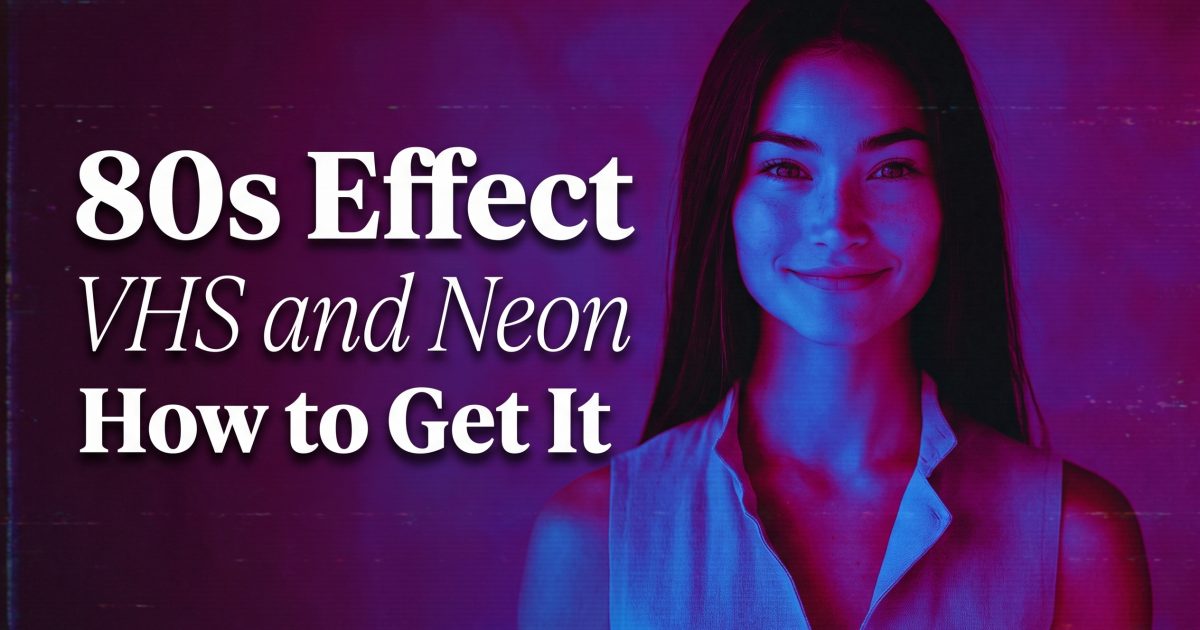
80s aesthetic effect edits turn an ordinary photo or clip into a tiny time capsule: VHS grain, electric color, hard flash, and enough drama to suggest a lost music-video scene. The trick is not to pile on every retro detail. Pick one clear mood, keep the subject readable, and let the texture do the storytelling.
How the 80s aesthetic effect works
Great retro edits use a few strong signals. VHS scan lines and light grain make footage feel taped. Magenta and cyan lights push it toward late-night TV. A fast zoom, a freeze frame, or a date stamp gives the clip a point of view. The original VHS era was built around home recording, which is why a little imperfection feels more convincing than a perfectly clean filter. For background on the format, see this video cassette recorder overview.
Start with one portrait or a three-to-five-second clip. Face a window or use a direct lamp so the eyes stay visible after the effect adds contrast. Clothing with one bold color works better than a complicated print. Red, cobalt, white, and black all hold up well against neon light.
4 80s effect ideas to try
1. VHS training montage
This look fits gym clips, morning routines, confidence posts, and glow-ups. Use a steady front-facing image, then ask for a sweaty-but-stylized training scene with tape grain and punchy contrast. Keep the pose athletic but simple. A raised fist, laced sneakers, or a jacket tossed over one shoulder gives the edit an instant story.
Prompt to try: “1980s VHS training montage, neon gym lights, analog tape grain, bold red tracksuit, fast handheld energy, cinematic close-up”
Make the first frame clean, then cut to the retro version on the beat. Add one short caption such as “Day one” or “No excuses.” It works for fitness Reels, a comeback post, or a before-and-after carousel cover.
VHS training montage: grain, color, and a faster pace.
2. Retro talk-show drama
A talk-show setup makes a close-up feel playful and theatrical. Pick a polished outfit, sit or stand square to camera, and leave room around the shoulders for a studio backdrop. Go for oversized jewelry, a glossy lip, or a bright blazer if the original image needs a little extra period flavor.
Prompt to try: “1980s late-night talk show set, saturated studio lights, soft VHS texture, glamorous guest close-up, analog broadcast feel”
Use this version for an outfit reveal, a lip-sync reaction, or a funny announcement. Trim the result to four seconds. A fake lower-third name card or a single applause sound makes the joke land without crowding the screen.
Retro talk-show: make the close-up feel like a broadcast moment.
3. Neon character twist
For a bolder 80s aesthetic effect, place a familiar face inside a genre-movie world. Think purple fog, arcade glow, or the uneasy light outside a roller rink after dark. The best result keeps the face recognizable while the background supplies the fantasy.
Prompt to try: “80s neon thriller portrait, purple fog, arcade signs, cinematic rim light, VHS noise, expressive close-up”
Choose a calm expression for the source image. That contrast makes the strange setting feel intentional. This is a strong option for Halloween teasers, character intros, mystery captions, or a music clip where the sound already has a dark synth mood.
Genre twist: a familiar face in an unexpected 80s world.
4. High-energy glow-up
This edit works best as a transformation. Start with a relaxed daytime shot, then switch to a dressed-up second frame with stronger posture and sharper light. Let the effect bring in a camera flash, color bloom, and tape texture. The change should happen fast enough to feel like a reveal, not a costume change tutorial.
Prompt to try: “80s fashion glow-up, direct camera flash, cobalt blue and hot pink lighting, stylish night-out portrait, subtle VHS grain”
Match the two frames by keeping the face at a similar angle. Use the same crop if possible. For a Story, add a date, a song title, or one word such as “Friday.” This is a natural fit for night-out content, birthday posts, beauty transformations, and party invitations.
High-energy glow-up: make the post feel like it has a soundtrack.
Make the effect look intentional
Don’t hide a weak source image behind noise. Begin with a bright, sharp photo and a clean background. If the image already has heavy shadows, the VHS effect can muddy the face. Crop vertically for Reels and Stories, then leave a little headroom for text.
Keep the color plan tight. Choose one neon accent and one neutral base instead of mixing every bright shade. If the background gets busy, lower the grain and save the scan lines for the transition. Less usually looks more like a real tape.
Sound matters too. A quick rewind, a camera click, or a synth hit can sell the cut. Avoid long intros. Show the original for half a second, reveal the 80s version, then move on. That contrast gives viewers a reason to pause and replay.
For more creator ideas, browse the Trending Effects collection. Pick a single scene, write a prompt with the mood first, and save the strongest result as the opening frame. That is enough to make the retro reference feel current.
Create this effect in Bloom AI
Recreate these effects on your own photos and videos – free to start.