
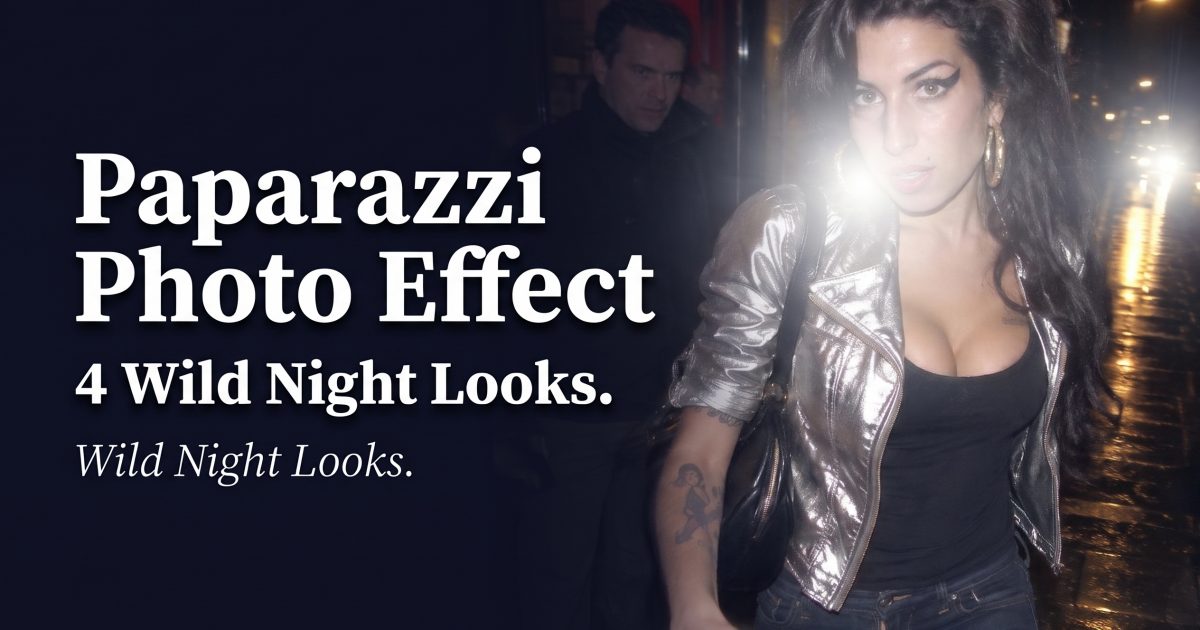
The paparazzi photo effect makes an ordinary night-out image feel like it was caught between a car door and a camera flash. It is bright, imperfect, a little messy, and built for the kind of photo dump that looks better when it does not feel posed.
The look is not about pretending to be famous. It is about giving a familiar selfie or street shot some movement. Direct flash lifts the face. The background falls away. A tilted frame, a wet pavement reflection, or one blurry hand near the lens makes the image feel like a split second instead of a studio session.
What makes the paparazzi photo effect work
A clean portrait gives viewers time to inspect every detail. This look does the opposite. It gives the eye one loud thing first: a burst of light. Then it leaves enough blur and shadow for the image to feel spontaneous. That mix is why it works so well for Reels covers, Story recaps, birthday posts, concert clips, and late-night photo carousels.
Keep the subject close to the camera. Let the flash flatten the face slightly. Do not erase every dark corner. A bright subject against a nearly black setting creates the tension that makes this style readable on a phone.
There is also a practical reason the trend feels fresh right now. Newer image tools are getting quicker at handling flash, textural lighting, and reference-based edits. OpenAI Images 2.6 describes faster image creation and tighter visual control, which makes it easier to try a rough flash idea without turning it into a polished campaign shot.
4 paparazzi photo effect looks to try
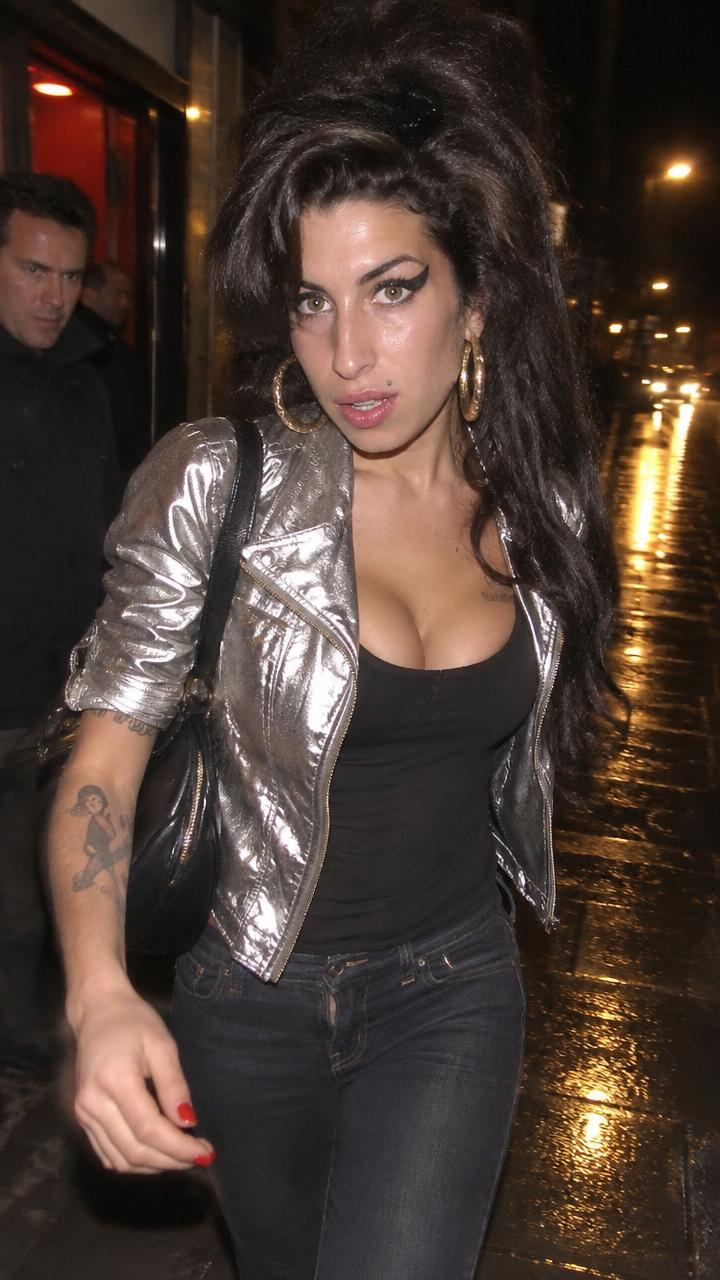
1. The concert exit
Start with a jacket, a curb, and one bright flash. A venue doorway or rain-slicked pavement gives the frame a real destination. The silver jacket in this version catches light fast, while the background stays loose. Use it for an outfit reveal that should feel more candid than editorial.
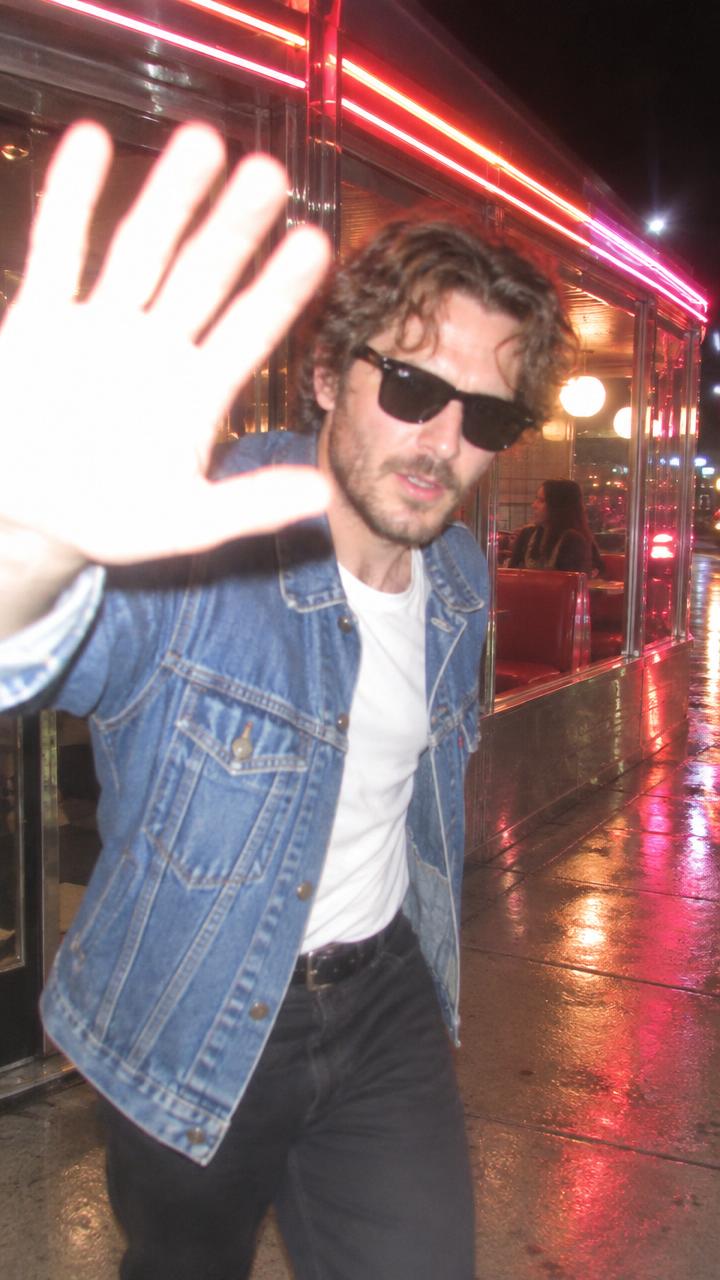
2. The diner walkout
This version uses an overexposed flash and a half-blocked lens. Sunglasses at night are useful here because they add a little distance without making the photo feel stiff. A neon reflection gives the scene color, but the flash still has to win. Leave the setting imperfect. The awkward crop is part of the charm.
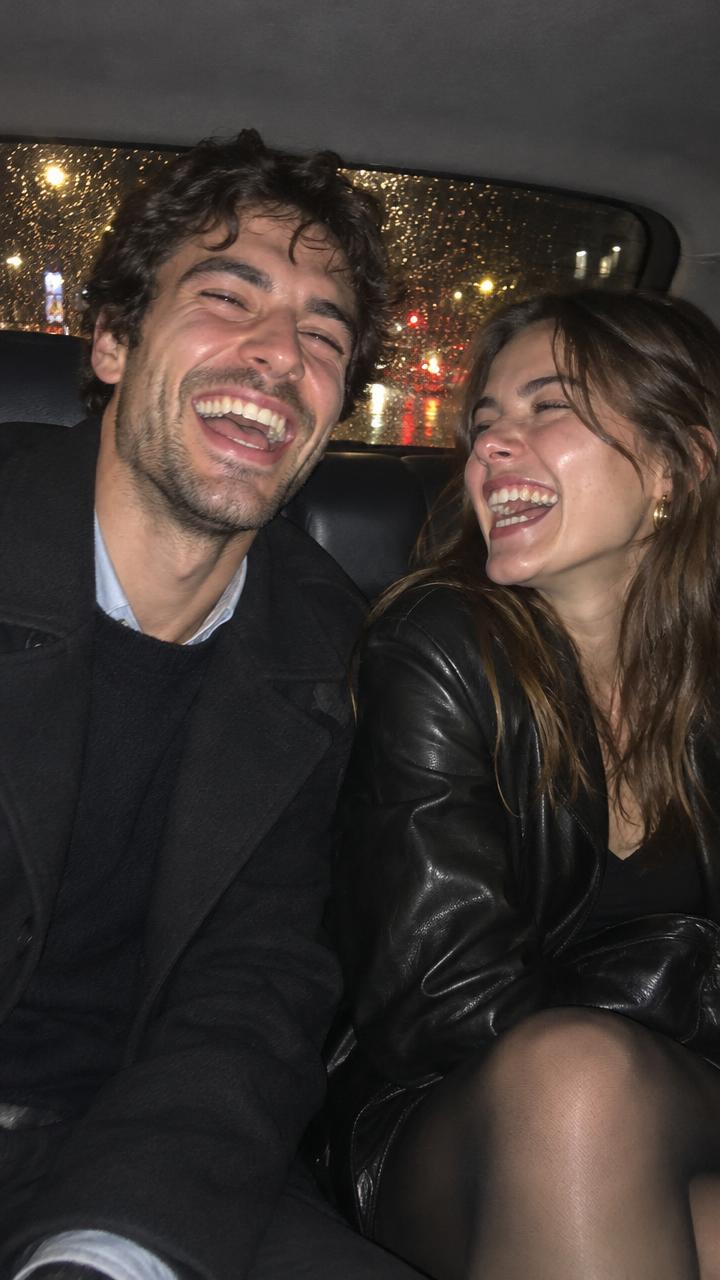
3. The taxi laugh
A car interior makes the paparazzi photo effect feel intimate. Keep the cabin dark and let the direct flash find the faces. Rain on the glass and soft city bokeh add depth without making the picture too neat. This is a good pick for a friends photo dump, especially when the goal is warm chaos rather than matching poses.
4. The after-party table
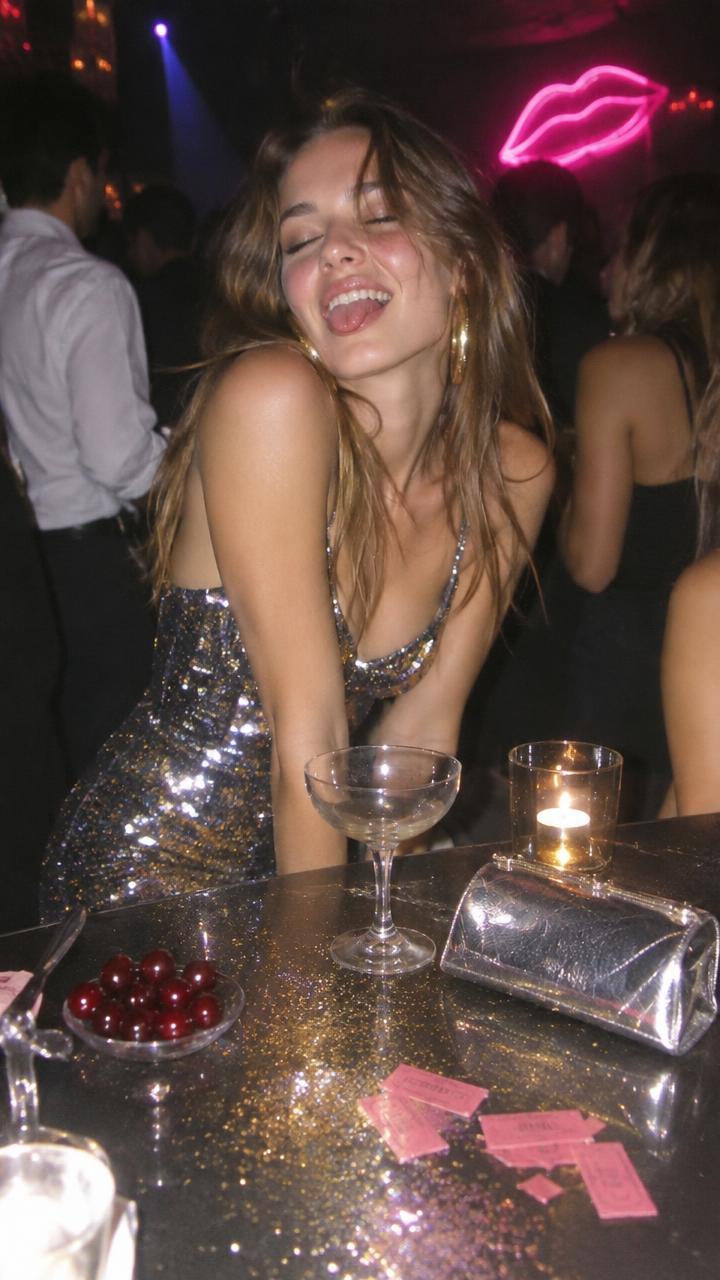
Not every frame needs a face. An object shot can make a carousel feel more like a night than a photoshoot. A disposable camera, ticket stubs, glitter, fruit, and a clutch give the viewer clues without spelling anything out. Use one detail frame between portraits to make the whole post feel less staged.
How to make the effect feel real
Choose one source image with a clear person or object. Then ask for direct flash, a dark environment, and one imperfect detail. Good details include a tilted frame, wind in the hair, wet pavement, a raised hand, a cropped shoulder, or a blurred passerby. Pick one or two. Too many accidents in one image look planned.
Skip clean studio lighting. The whole point is contrast. A sharp face with imperfect edges works better than a fully blurry image. If the background is busy, keep the subject closer and let the flash create separation. For a more graphic version, pair the flash look with the layered typography ideas in this tiny text poster effect guide.
Fast iteration helps when the image needs to feel accidental. New image tools now offer tighter controls for aspect ratio, quality, and reference images. For this trend, vertical framing and a simple lighting brief are usually enough. Let the effect stay human-sized. It should look like a memory someone almost missed.
Where this look lands best
Use the paparazzi photo effect when the post needs energy before context. It works for party recaps, concert footage, birthday carousels, weekend vlogs, outfit dumps, and teaser slides for a Reel. Start a carousel with the strongest flash portrait, follow with a wider moment, add an object shot, then end on something quieter.
The best version keeps one thing believable. The wardrobe can be dramatic. The flash can be harsh. The camera can be crooked. But the emotion should still read like a real second from a real night. That is what makes people stop instead of scrolling past.
Create this effect in Bloom AI
Recreate these effects on your own photos and videos – free to start.





1 Comment