
Viral photo effects do not need spotless skin, perfect timing, or a polished backdrop. Flop-Core turns the harmless misses in a camera roll into the whole point: a tipped drink, flyaway hair, a cake that leaned too far, or a rainy arrival that ruined the outfit plan. The mood is candid, a little loud, and funny because it feels like something that actually happened.
The trick is not to manufacture a disaster. Start with a real imperfect moment, then give it a consistent flash-photo treatment so the frame reads as intentional. Keep the evidence in the shot. A crooked sleeve, a puddle reflection, or frosting on a fingertip gives the post its punchline.
Why viral photo effects are getting messier
Flop-Core works because it breaks the usual before-and-after rhythm. Instead of showing a perfect reveal, it makes the near-miss the reveal. Direct flash, slight grain, cool shadows, and a close crop keep the image feeling like a late-night phone photo rather than a staged editorial.
Choose one visual problem per frame. If the joke is a spilled drink, let the drink lead. If the joke is wind, keep the background simple. Too many props can make the image feel planned. For a stronger carousel, place the clean setup first, then swipe to the flop. For a Reel, hold the polished pose for one beat and hard-cut to the messy frame.
1. The coffee spill
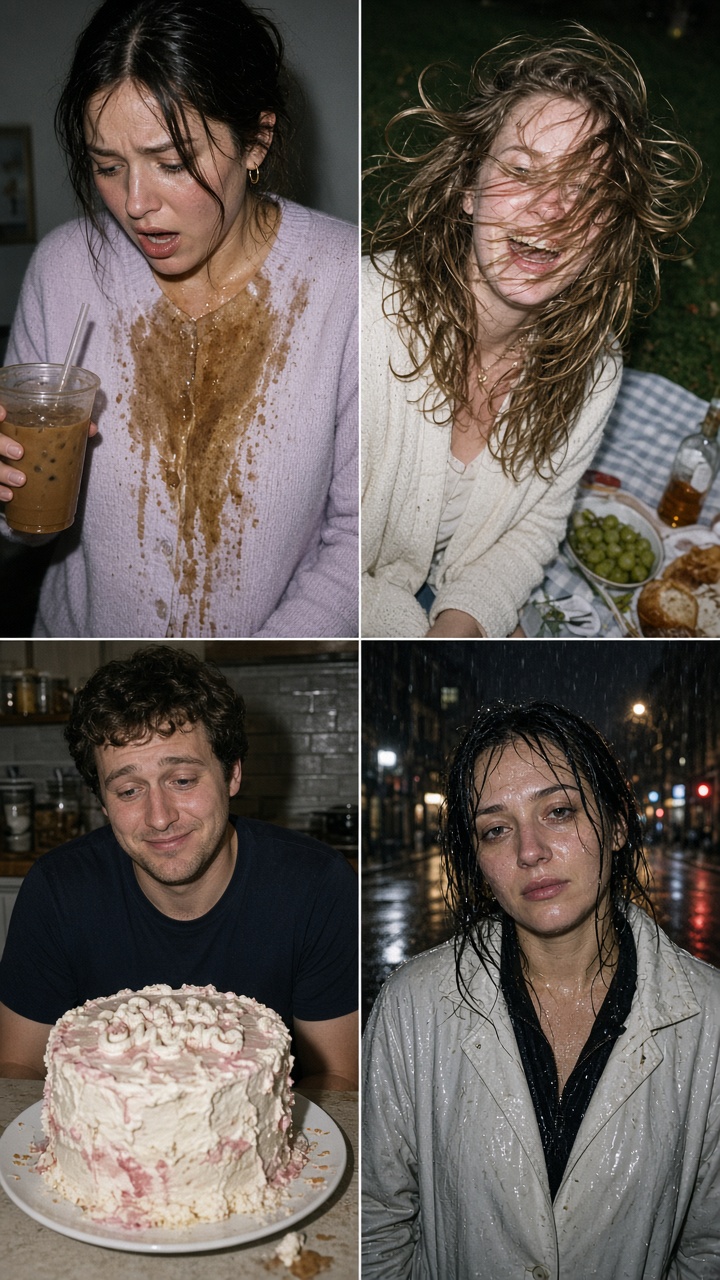
Put the subject in a color that contrasts with the drink: pale blue, lemon, white, or soft pink all make brown coffee read quickly on screen. Shoot from chest height and leave enough floor in the frame to show the spill. A direct flash adds shine to the ice and catches the stunned expression.
How to style it: Keep the cup, straw, and one hand visible. Add a tote bag or café table only if it helps tell the story. Do not clean the splash marks before shooting.
Example prompt: “Candid direct-flash phone photo of a creator in a pastel outfit after spilling iced coffee on the pavement, surprised expression, visible ice cubes, cool shadows, subtle film grain, imperfect camera-roll energy.”
Use this look for a Monday post, a failed outfit transition, or a carousel captioned with one dry line: “The plan had notes.”
2. Wind versus hair
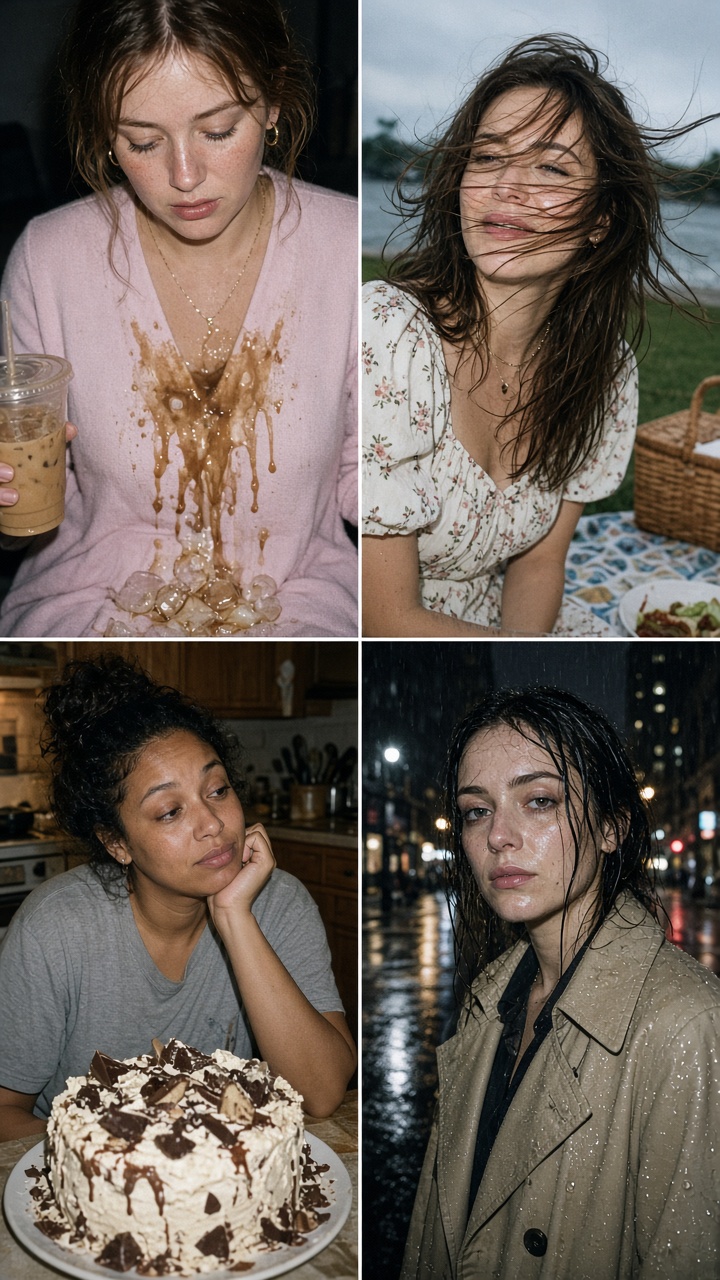
For this version, build a sweet setup first: a picnic blanket, fruit, flowers, or a bright park. Then wait for movement. Windblown hair works best when the subject is still trying to hold the pose. Keep the face visible, but do not tame every strand. That tension makes the frame funny.
How to style it: Choose a patterned blanket and one or two simple props. Shoot with the sun behind the subject, then add flash to keep the face clear. If the grass looks too perfect, crop closer so the hair and expression do the work.
Example prompt: “Unplanned direct-flash snapshot at a sunny picnic, person in a cute summer outfit with hair blown across their face, fruit and gingham blanket in frame, candid laugh, cool flash shadows, light grain.”
This is a good choice for a Story dump or a two-photo carousel: composed picnic first, wind attack second.
3. The cake that tried
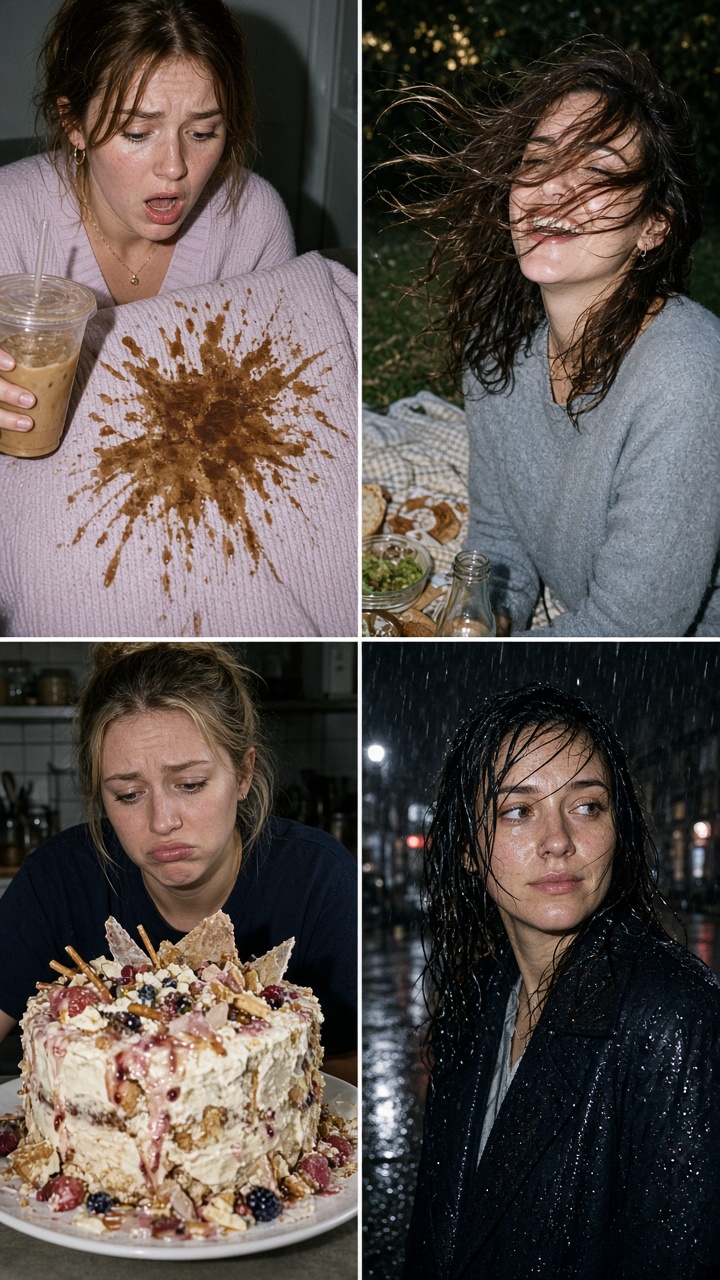
Bad cake decoration has built-in character. Shoot before anyone fixes it. Show the lopsided icing, the split letter, or the candle that fell sideways. A tight crop makes the flaw obvious, while a flash keeps frosting texture crisp.
How to style it: Use one bold plate or a disposable birthday tablecloth, not a busy full table. Let one hand enter the frame with a spatula or lighter. For a carousel, follow the flop with the slice that still tasted great.
Example prompt: “Close direct-flash phone photo of a homemade birthday cake with crooked frosting letters and uneven icing, one candle leaning, colorful tablecloth, realistic messy texture, subtle disposable-camera grain.”
Try it for birthdays, bake-sale attempts, or any post where the caption can admit defeat without explaining the entire backstory.
4. Rainy outfit reveal
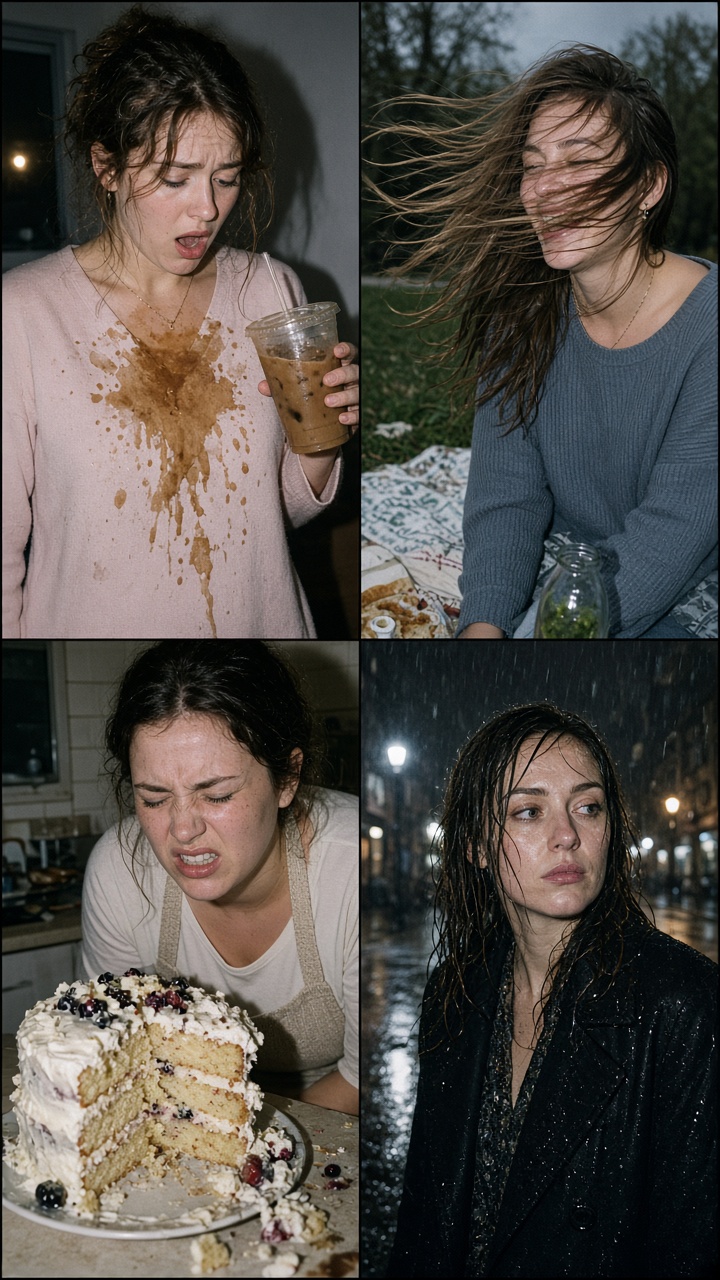
Rain gives Flop-Core its most cinematic option. Find a streetlight, shop window, or bus stop after a shower. Keep damp hair, darkened fabric, and puddles in the frame. The goal is not sadness. A straight face, tiny smile, or raised eyebrow keeps it playful.
How to style it: Wear one color that holds up against wet pavement, such as red, silver, or cobalt. Use flash sparingly so the pavement reflects light without turning the skin flat. If editing on a phone, lower highlights, lift a little texture, and add grain. Apple’s photo editing guide covers the basic adjustment controls.
Example prompt: “Candid nighttime phone-flash portrait after rain, creator in a soaked city outfit beside reflective pavement, damp hair, shop lights in background, amused expression, cool blue shadows, authentic camera-roll grain.”
How to finish the Flop-Core photo effect and post it
Start with a bright base image. Add a touch of grain, cool the shadows, and keep the flash contrast stronger than a normal portrait. Avoid heavy blur, beauty smoothing, or perfect color matching. Those edits remove the accidental feeling that makes viral photo effects work.
Use Bloom AI to test the mood on the original photo, then choose the version that still looks like a moment from the same day. Pair each image with a short caption, not a speech. “Still went out.” “The cake had opinions.” “Wind won.” Each leaves room for people to add their own story in the comments.
For more quick photo ideas, browse the Bloom AI blog before building the next carousel.
Create this effect in Bloom AI
Recreate these effects on your own photos and videos – free to start.