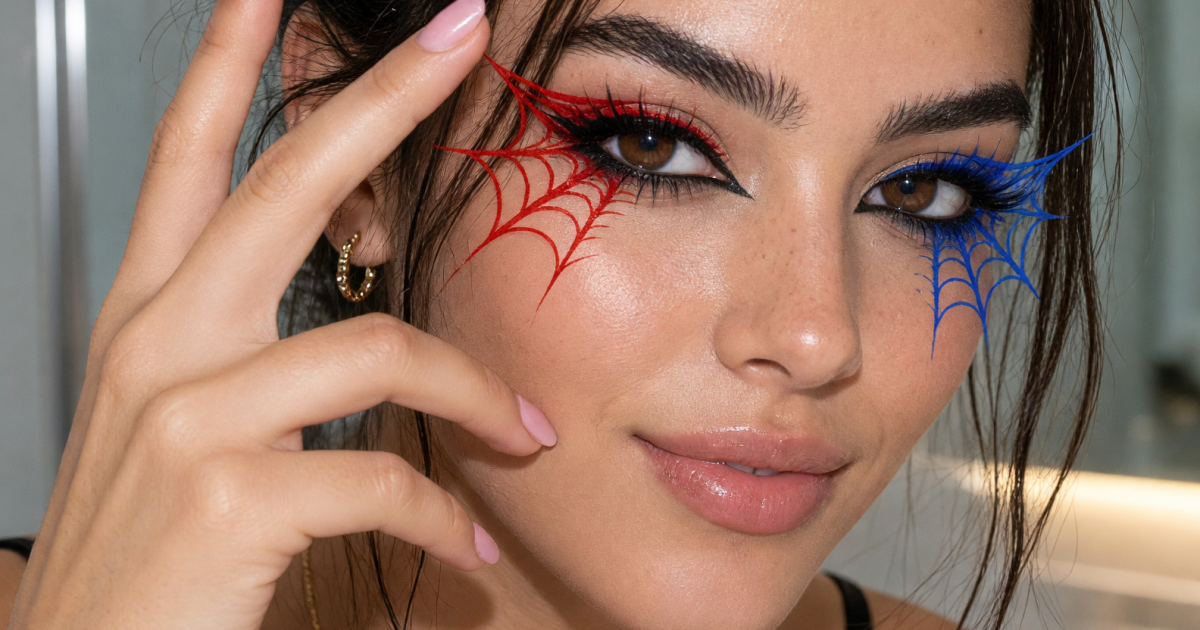
Makeup transition videos get more attention when the first frame creates a question. A hand covers the lens, the beat changes, and a spiderweb eye look appears in one clean motion. This version of the reveal works for Halloween posts, comic-inspired edits, party GRWMs, and any Reel that needs a sharp visual switch.
The trick is not complicated makeup alone. The before and after clips need to line up. Pick one web detail that reads instantly, then build the cut around it. Fine lines at the outer corner, a painted half mask, or gems along a web shape all work better than a full face that viewers cannot read in a second.
Why this makeup transition lands
A spiderweb makeup transition turns a familiar hand-cover cut into a clear before-and-after story. The web lines point toward the eye, cheekbone, or temple, so they still show up during fast motion. Keep the reveal under five seconds. The viewer should see the finished detail right after the hand drops.
Start by choosing one hero area. For a liner look, sketch three short spokes from the outer corner and connect them with tiny curved lines. For a half-face design, map the web from the brow toward the cheekbone before adding color. Use a liquid liner or face-paint brush for crisp strokes. Press a small gem at one intersection if the clip will use flash.
Film the bare or minimal-makeup clip first. Cover the lens with the same hand that will begin the finished clip. Hold still for half a second. After the makeup is done, return to the same mark on the floor, cover the lens again, then pull away on the beat. That matching pose sells the change.
4 real spiderweb makeup transition ideas
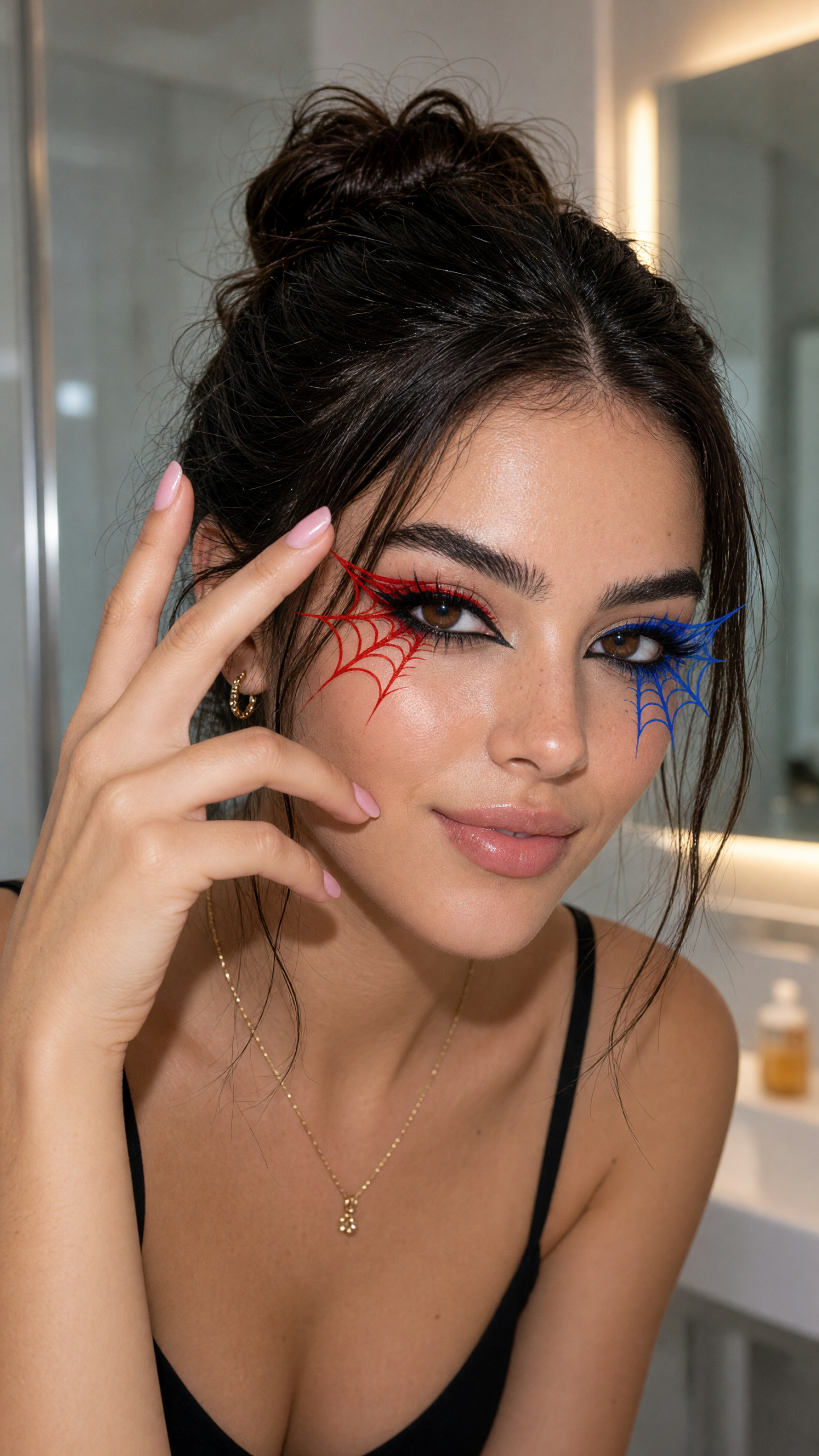
Keep the mirror clean and leave some empty wall behind the face. A crowded counter steals attention from the liner. If the flash creates harsh under-eye shadows, lift the phone slightly above eye level and angle the face toward the light.
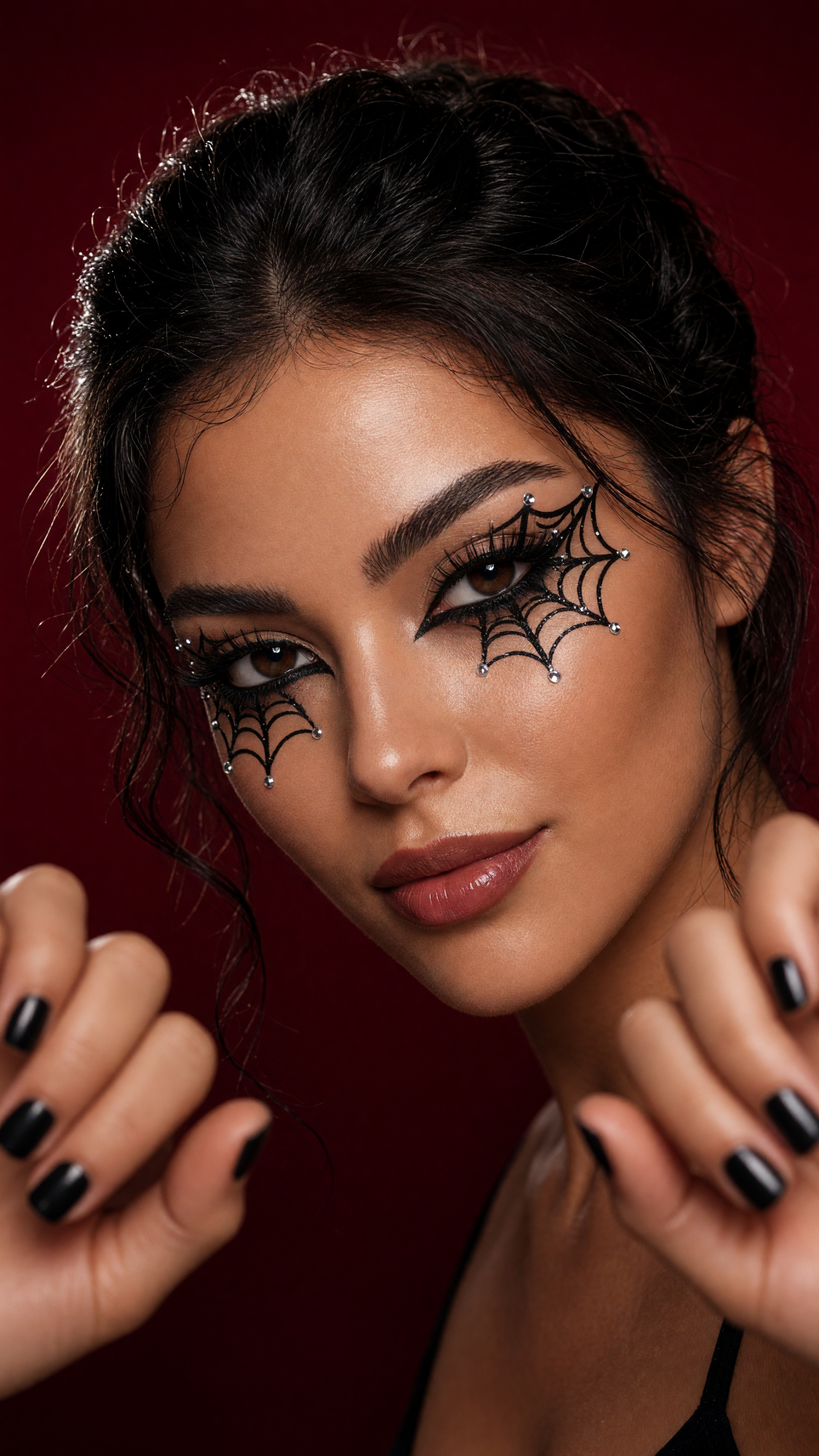
Place gems after the painted web has dried. Lash glue or cosmetic adhesive holds better than a heavy layer of gloss. Use two or three gems near the outer eye, not a full scatter. The web pattern needs open space to stay visible.
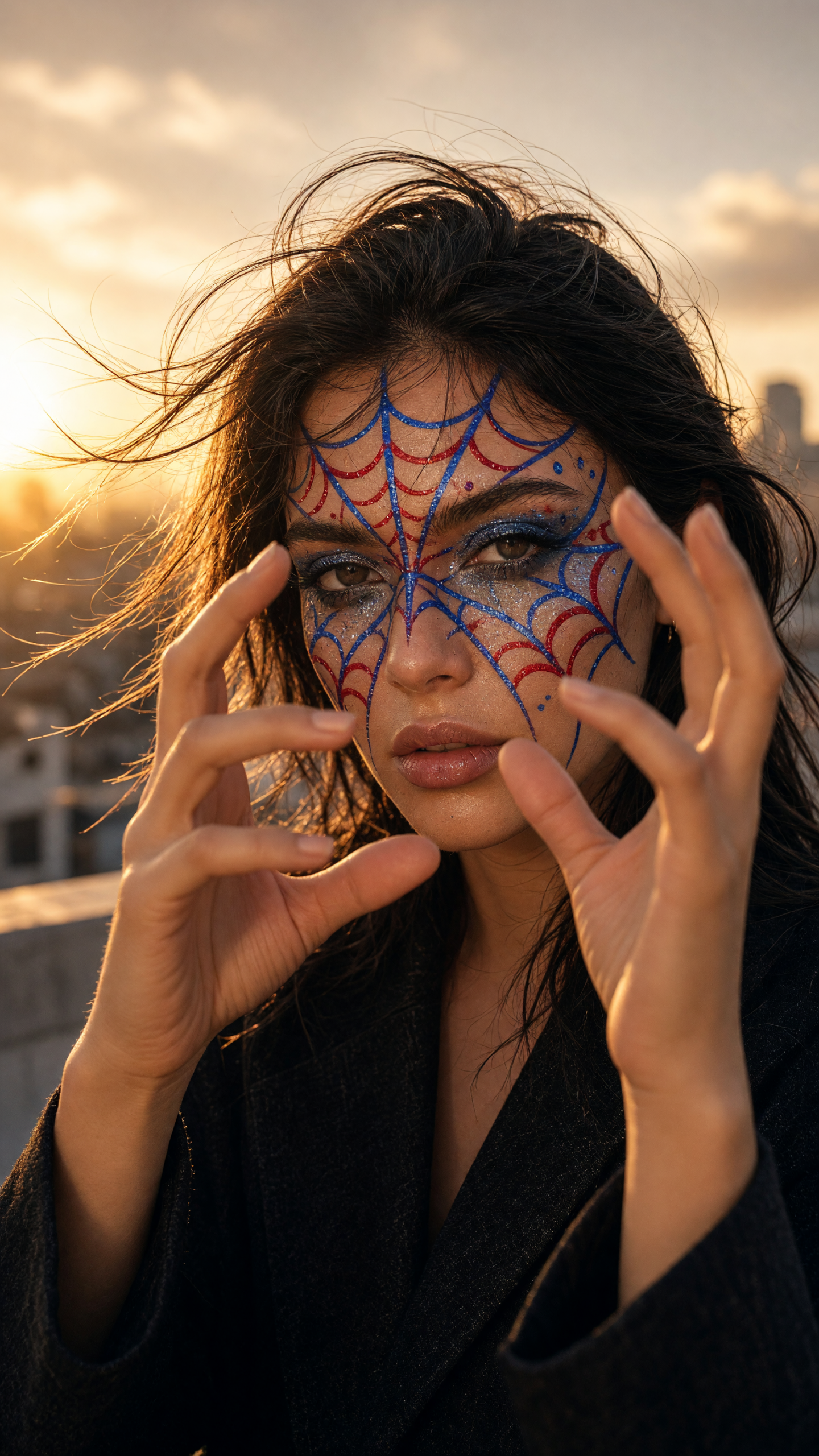
Outdoor light changes fast. Record both clips within a few minutes so the color temperature matches. Stand with the sun behind one shoulder, not straight behind the head. That keeps the paint bright without turning the face into a silhouette.
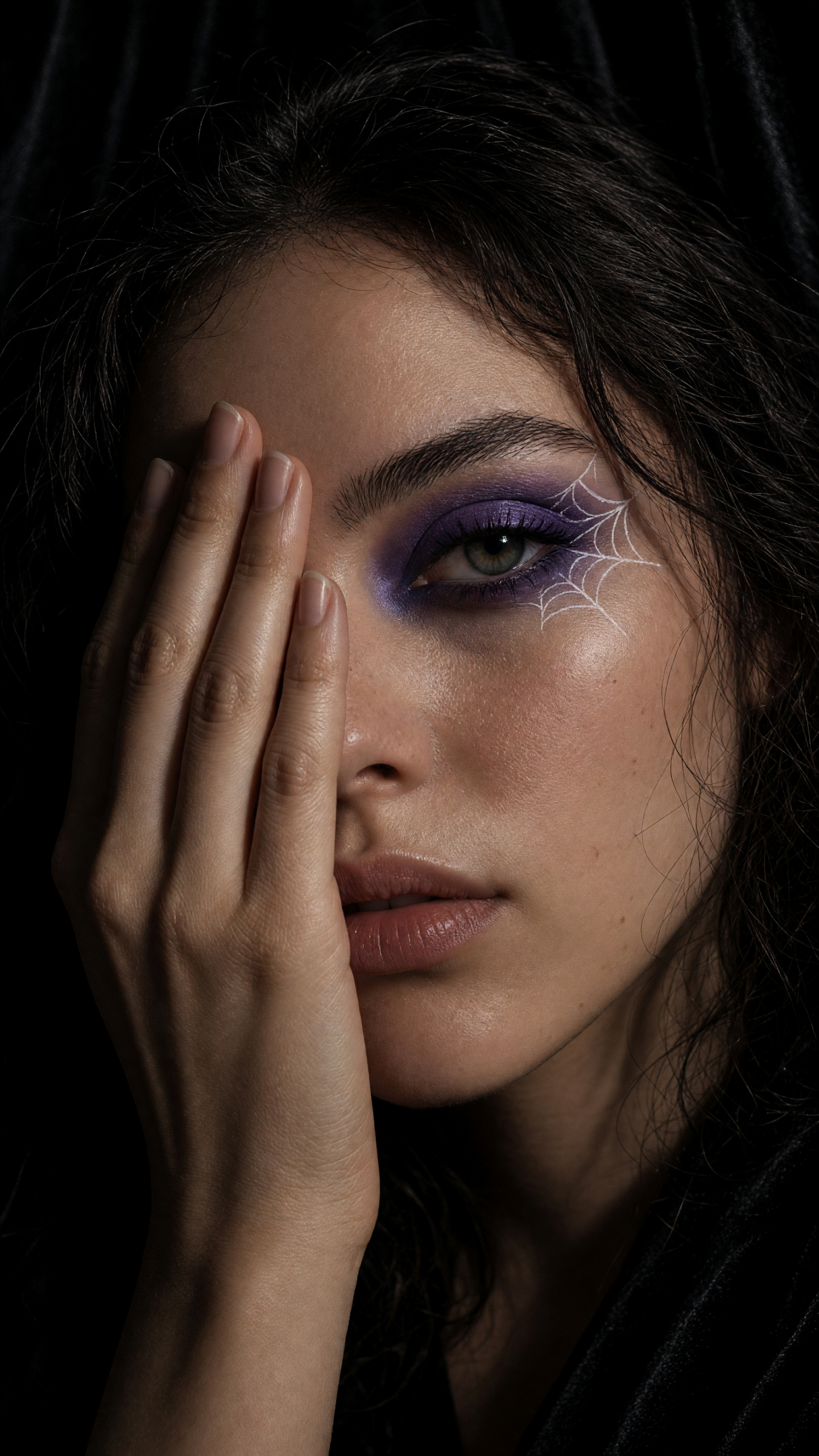
Use a small piece of tape on the floor or vanity to mark where the phone and feet go. Record a two-second practice clip before changing makeup. If the eye drifts even a little between clips, crop both videos tighter instead of trying to hide the jump with extra effects.
How to shoot a clean makeup transition
Lock the phone before recording. A tripod is ideal, but a mug, shelf, or stable stack of books also works. Frame the eyes in the upper half of a vertical shot. Leave enough room for the covering hand to enter without blocking the face too early.
Record the before clip for two seconds. Move the hand into place at a steady speed, pause, and stop recording. Change the makeup. Start the second clip with the hand already covering the lens, pause for the same beat, and move it away at the same speed. Trim where the hand fills the frame. A flash frame or short zoom can hide a tiny mismatch, but it should support the cut, not rescue it.
Light for the finish. Window light shows blended violet shadow and soft paint well. A direct phone flash makes chrome, gems, gloss, and red-blue contrast pop. Avoid mixed lighting from a window and yellow ceiling bulb. Pick one source, lock exposure if the camera allows it, and check the finished look at normal playback speed.
Make it yours with styling and production choices
Keep the spiderweb idea but change the palette to match the post. Cherry red and cobalt feel playful. Black liner with chrome gems suits a dressed-up night look. Violet and white reads darker and more editorial. For a daytime version, draw one small web at the outer corner, add mascara, and pair it with a clear gloss.
Wardrobe can make the makeup transition clearer. Wear a plain top for the before clip, then add a jacket, necklace, or hair accessory for the reveal. Keep the background simple: a dark curtain, one colored wall, or a mirror with open space. A busy print competes with the web lines.
Test the framing before committing to product. An image editor such as Grok Imagine Image V2 can mock up palette, crop, and makeup placement from a descriptive prompt. For more short-form effect ideas, browse Bloom AI. Then keep the final video tight: one gesture, one reveal, one clear payoff.
Create this effect in Bloom AI
Recreate these effects on your own photos and videos – free to start.