The tiny puppy photo trend turns an ordinary portrait into a small, chaotic, ridiculously cute scene. The formula is simple: keep the person believable, add a pack of tiny dogs with one clear behavior, then frame it like a photo someone snapped between plans. It lands because the image makes people pause, zoom in, and count the puppies.
This look is all over short-form feeds in different versions: puppies in pockets, a miniature dog pile on a sofa, or one tiny sidekick taking over a mirror selfie. The best versions do not try to look like a polished ad. They feel personal, slightly absurd, and ready for a Story.
Why the tiny puppy photo trend gets saved
There is a built-in double take. At first glance, it reads as a normal lifestyle shot. Then the tiny paws, oversized ears, and impossible puppy pile show up. That delayed reveal gives viewers a reason to stop scrolling. Pet content already gets an emotional response, while miniature scale adds a joke without needing a caption.
The look also gives creators room to make it their own. Use a sofa for cozy content, a cafe for a street-style frame, or a bathroom mirror for a beauty post. Current trend coverage has pointed to both pet portraits and miniature dioramas as sticky AI-art formats. The point here is not to copy a single image. It is to pick a setting that already feels like a real part of a feed.
Tiny puppy photo trend: 4 cute looks to copy
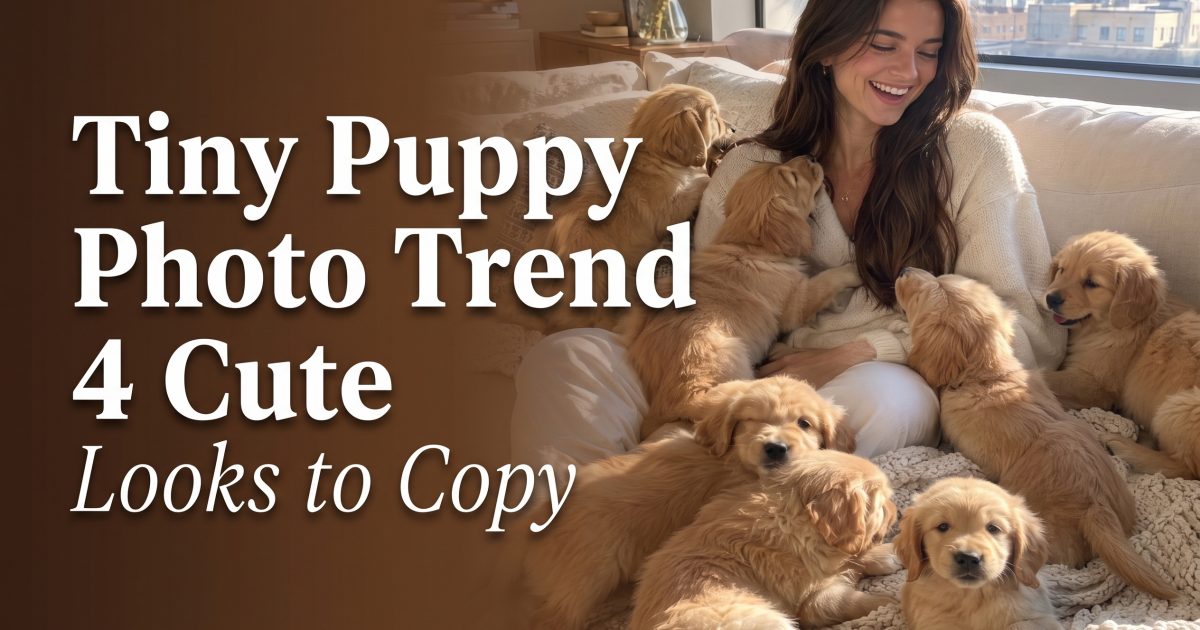
1. The sofa puppy pile
Start with a soft, bright room and one large surface. A couch, duvet, or oversized chair gives the puppies somewhere to gather, so the scene reads quickly even on a phone. Leave a little empty space around the face. That makes the surprise easier to spot.
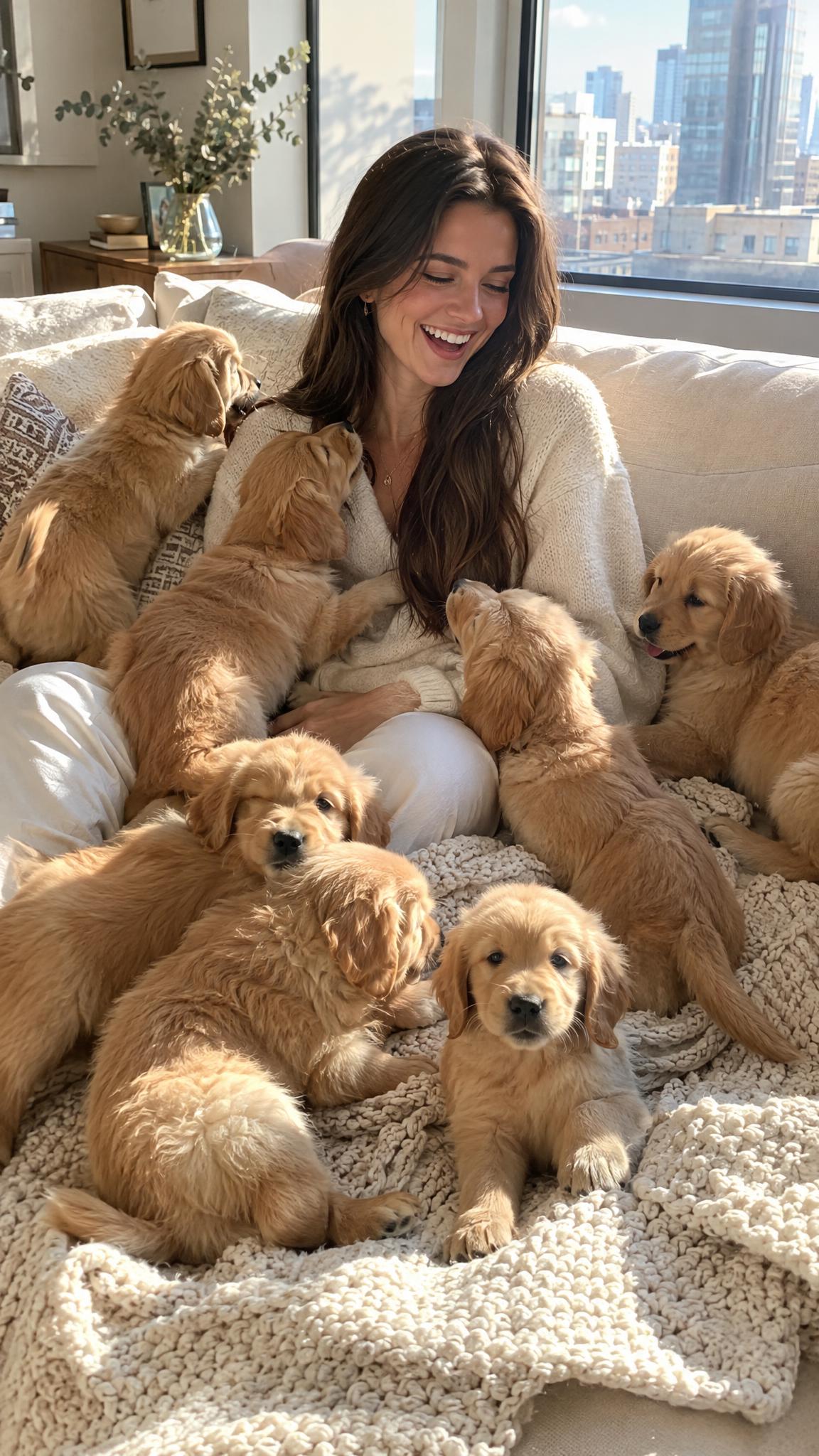
Prompt to try: Photorealistic vertical photo of a person relaxing on a cream sofa while eight tiny golden retriever puppies climb over a knit blanket, candid laugh, warm window light, lifestyle editorial, detailed fur, no text.
2. Puppies in the pockets
This one works when the outfit does some of the storytelling. An oversized denim jacket, cargo pants, or tote bag creates natural hiding spots. Keep the background simple and let one or two puppies look directly at the camera. That gives the image a focal point rather than turning it into visual noise.
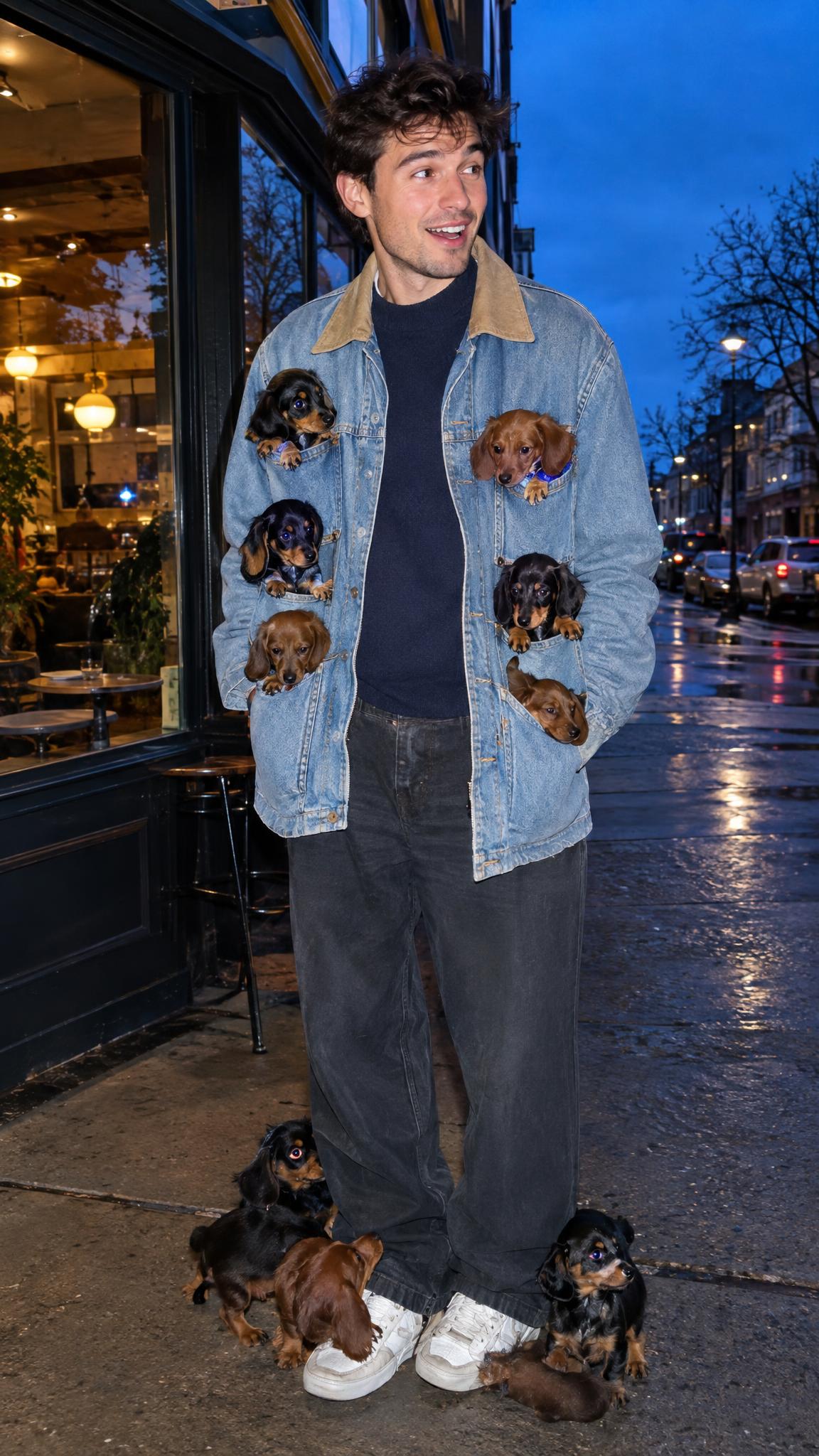
Prompt to try: Vertical street-style photo outside a corner cafe at blue hour, six tiny dachshund puppies peeking from an oversized denim jacket and resting by the sneakers, direct flash, candid fashion photo, detailed fur, no text.
3. The mirror-selfie takeover
Mirror photos are made for this trend because the reflection gives the frame a casual, personal feel. Keep the room clean and the lighting soft. Place just two puppies near the shoulders, then add a few lower in the frame. A full wall of dogs can confuse the reflection and make the joke harder to read.
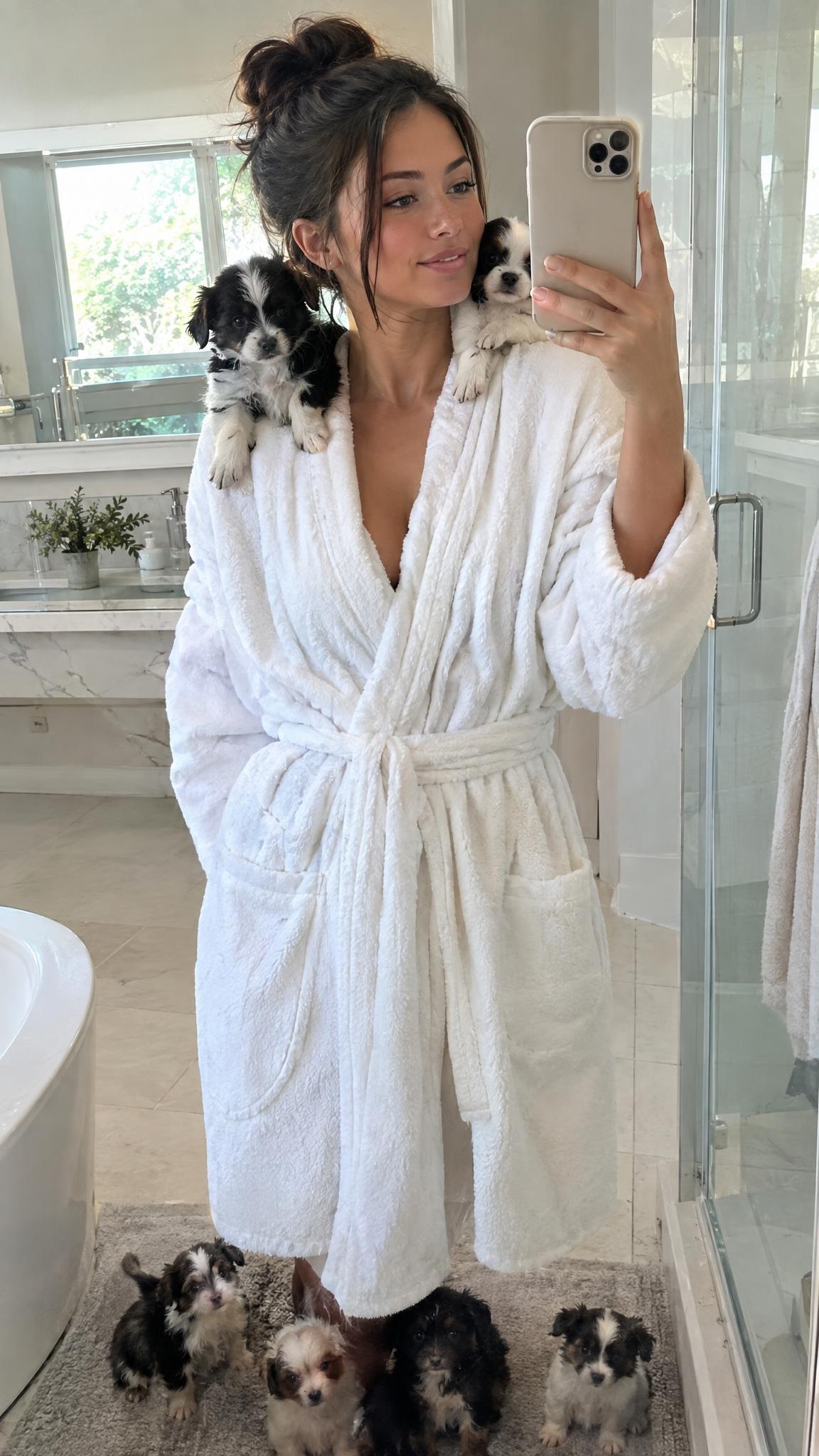
Prompt to try: Photorealistic vertical mirror selfie in a bright bathroom, person in a white robe with two tiny black and white puppies perched safely on the shoulders and three puppies on the bath mat, soft morning light, realistic reflection, no text.
4. The one-puppy hero frame
For a quieter version, use one tiny puppy instead of a crowd. Put it on a shoulder, inside a handbag, or sitting on a keyboard. This is the easiest variation to use in a carousel because the next slide can reveal the full scene. A single subject also helps when the photo will be cropped for a profile image.
Prompt to try: High-detail vertical portrait of a person at a flower market holding a paper bouquet, one tiny corgi sitting on the bouquet wrap, natural midday light, candid phone-photo framing, soft film grain, no text.
How to make the result look postable
- Choose one location. A clear setting makes the strange part feel intentional.
- Name the breed. Specific ears, coats, and body shapes help the image stay readable.
- Use a vertical frame. A 9:16 image leaves room for the person and the tiny details.
- Ask for no text. The photo should carry the joke on its own.
- Make the scale obvious. Add a sofa cushion, pocket, shoe, or hand for context.
For the cleanest results, generate the image first, then pick one crop for the feed and another for a Story. Avoid mixing too many breeds or asking for a busy party scene. Tiny animals are the effect; everything else should support them. The generated examples above used an instruction-following image model with a portrait ratio. Alibaba Cloud’s Qwen-Image API reference explains why detailed scene direction and image ratios matter, while the Qwen-Image model card covers its text and image editing strengths.
Save the prompt that gets the best face, lighting, and scale. Then swap only the location or breed for the next post. That keeps a series recognizable without repeating the same photo.
Create this effect in Bloom AI
Recreate these effects on your own photos and videos – free to start.